


Track and fix issues
Follow a problem from the moment someone reports it to the repair that closes it.
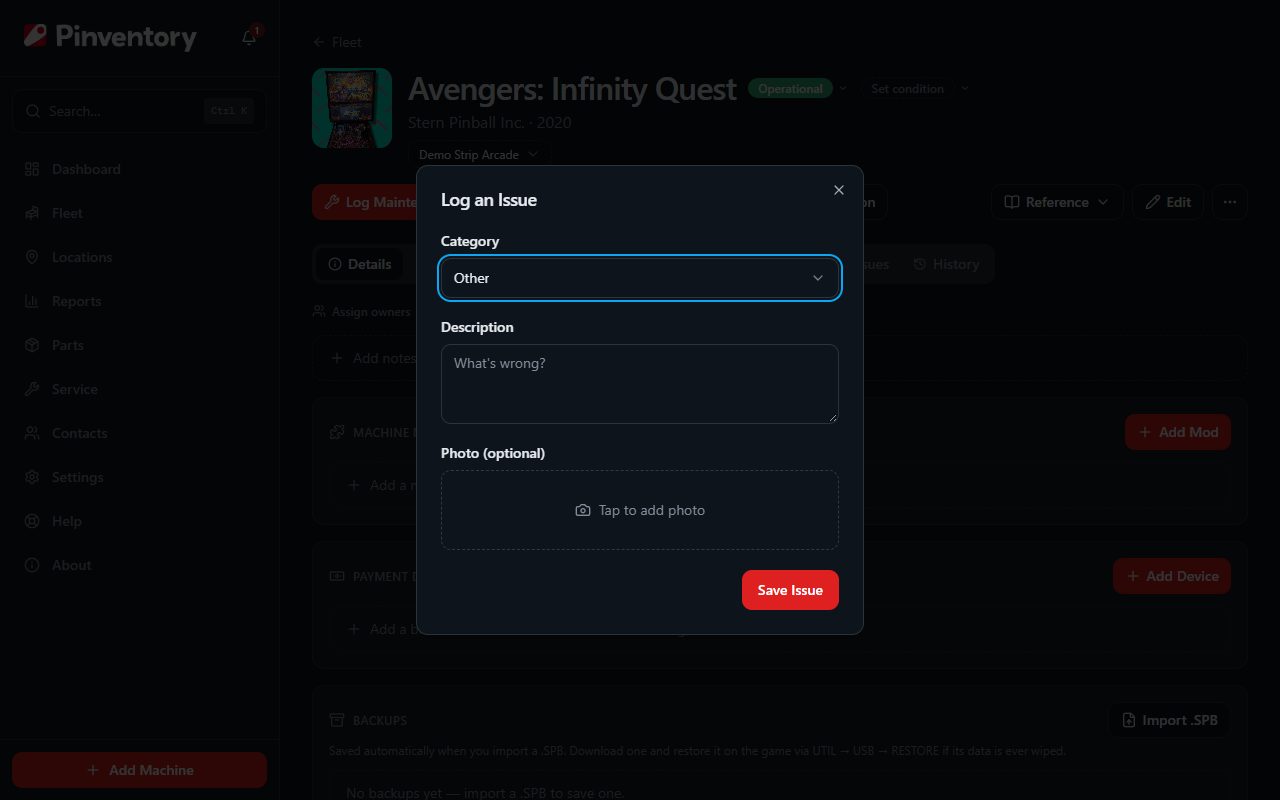
Log an issue yourself
Open the machine and press Report Issue in the row of buttons under its name. Pick a category, describe what is wrong, and add a photo if it helps the person who will fix it.
Save it and Pinventory opens the machine's Issues tab with the new issue in view. It carries the label Internal issue, so you can tell it apart from one a player sent.
On a collector account the same button logs a known issue. There is no public code and no team to assign to, and the rest of this guide works the same way.
What the player sees
A player who scans the public QR code on a game gets a short form with your business name, your logo and the machine on it. The QR codes and player reports guide covers the codes, the printed cards and the form itself.
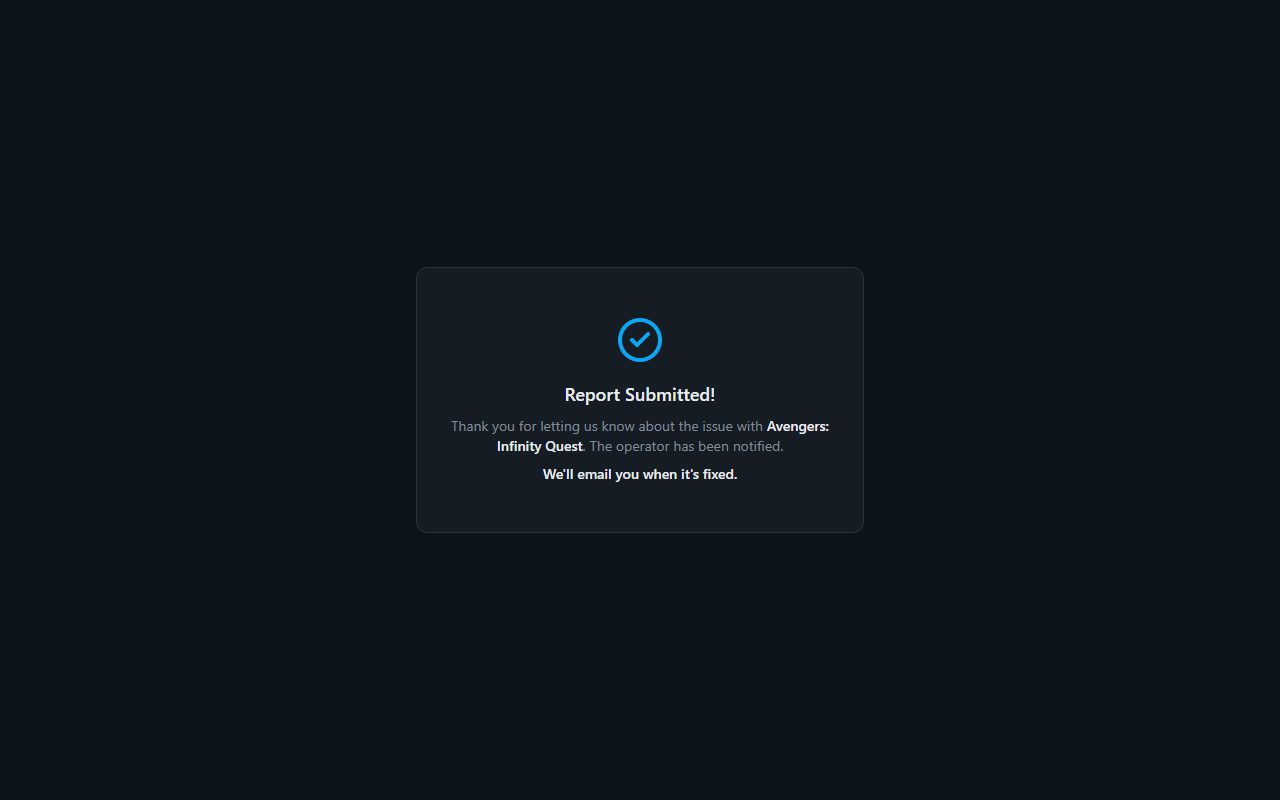
After the player sends the form, the page thanks them, names the machine, and says the operator has been notified. If they left an email address and asked to hear back, the page also promises an email when the game is fixed.
That is the whole exchange. The player never gets an account, never sees your other machines, and never sees your notes or your repair history.
If you already know about the problem, add a report page note at the top of the machine's Issues tab. The player reads it before the form, so you stop getting the same report all night.
Hear about it
A player report sends an email and a push notification to every member of your team, and posts to Slack or Discord if you connected a channel. The notification also lands under the bell inside Pinventory.
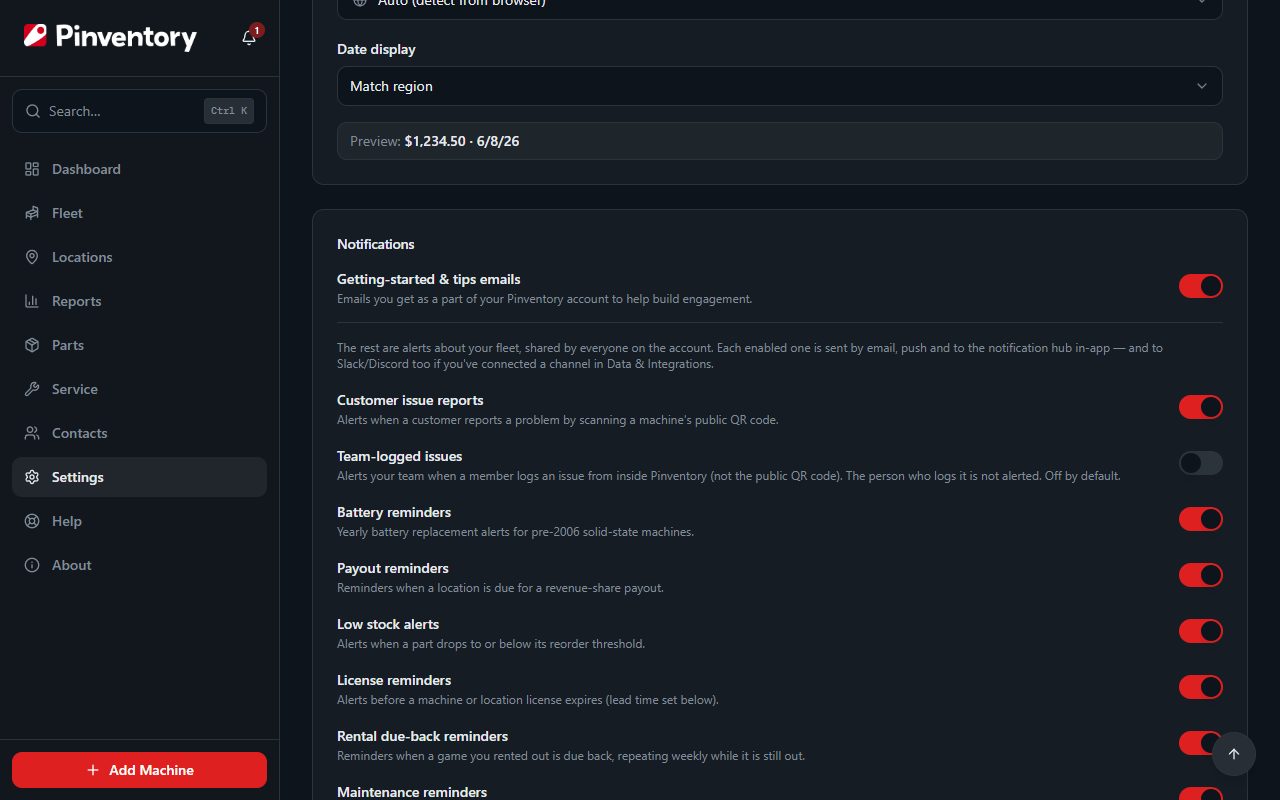
An issue a team member logs alerts nobody by default, because the person who logged it already knows. To tell the rest of the team, open Settings and turn on Team-logged issues under Notifications. The person who logs the issue is still left out.
To stop the alerts for player reports, turn off Customer issue reports in the same place. The reports still arrive on the machine. Only the alerts stop.
See what is open
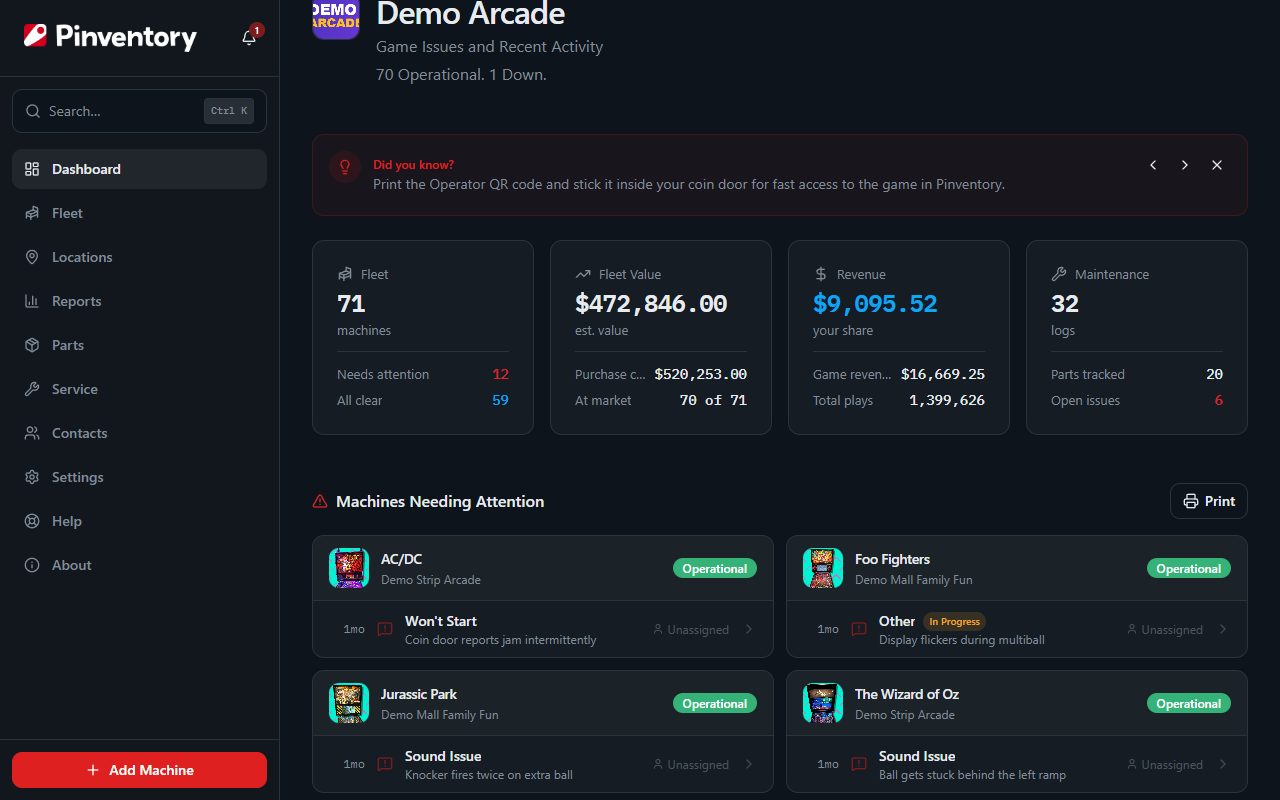
The dashboard lists every machine that needs attention, with the game that has waited longest at the top. Each row shows the open issues on that machine and how long each has been open.
On the Fleet page a machine with open issues shows a red count on its card. On the machine itself, the Issues tab lists open issues first. Each one says where it came from: Customer report for a player, Internal issue for your team.
Resolved issues stay out of the way. Turn on Show resolved in the Issues tab to bring them back.
Assign it
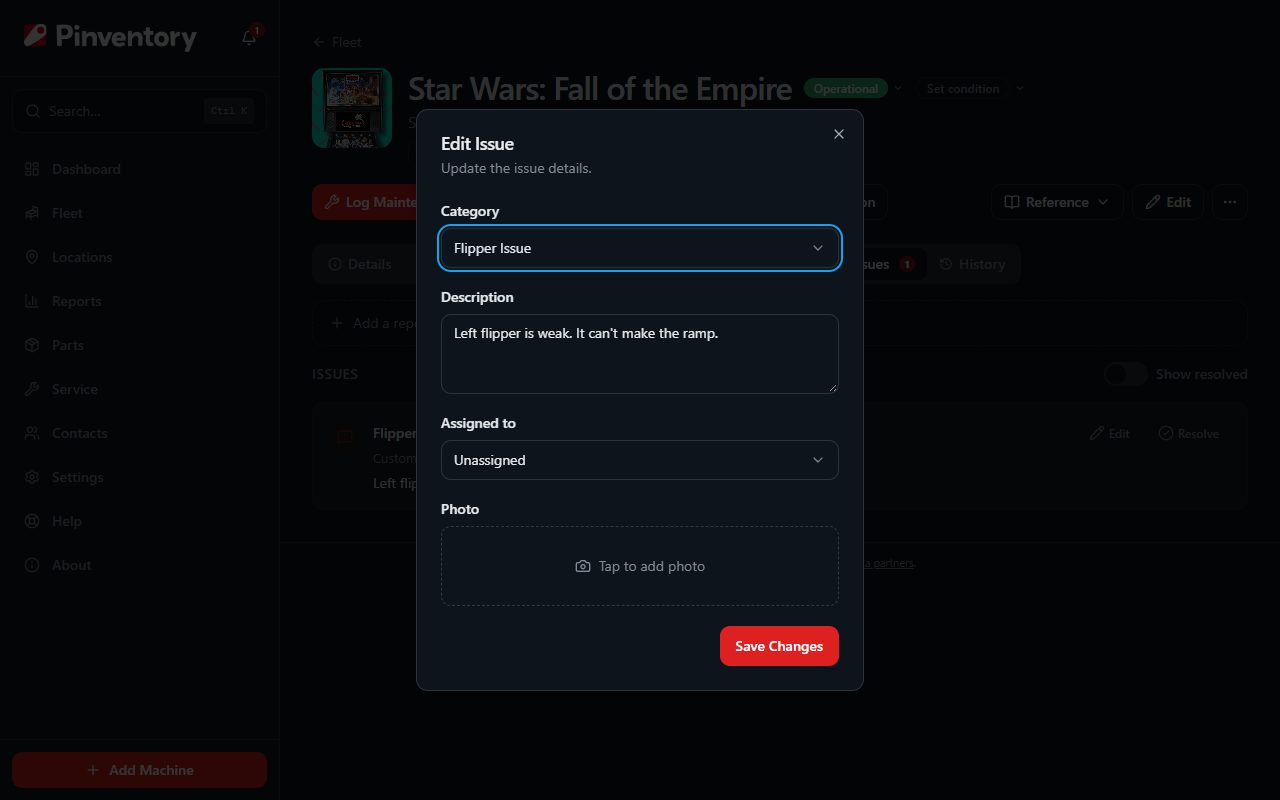
Press Edit on an issue and pick a team member under Assigned to. That person gets a push notification and an email that names the machine and the problem. Nothing goes to Slack or Discord, because an assignment is for one person.
The same dialog lets you correct the category, rewrite the description, or swap the photo. The assignee shows on the issue, and their dashboard lists the issues assigned to them.
Resolve it and log the fix
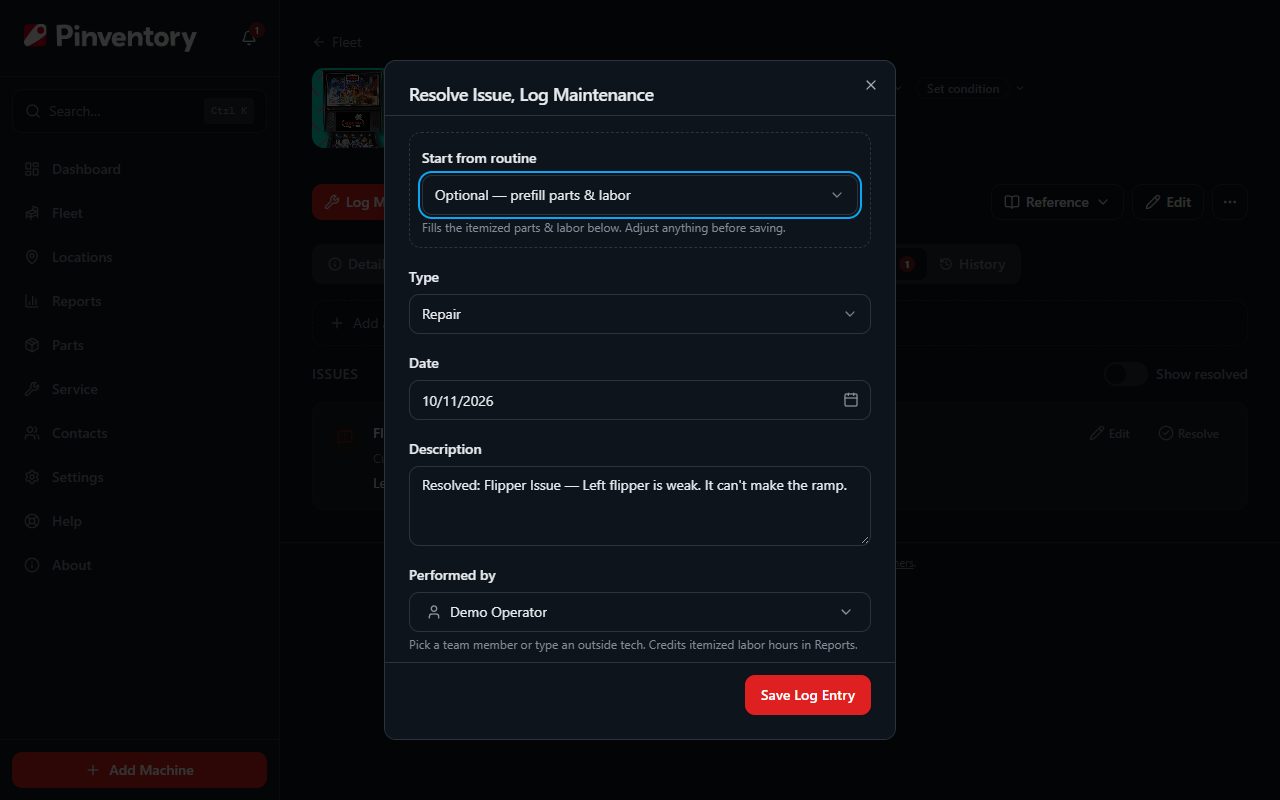
Press Resolve on the issue. Pinventory opens the maintenance form with the problem already written in, so you record the repair and close the issue in one save. The two records stay linked, and the repair counts toward the machine's maintenance cost.
If the player asked for an email, the issue says so before you resolve it. Pinventory sends that email once, when you save.
If the fault comes back, press Reopen on the resolved issue. It returns to the open list and the link to the old repair is removed.
Good to know
- A photo saves a trip. Ask your team to attach one when they log an issue, the same way a player can.
- To stop offering players the email, open Settings and turn off Email players when an issue is fixed under Preferences. A player who already asked still gets their email.
- The Record maintenance guide covers the repair form in full, including parts and labor.