


Running a route
The collections lifecycle, from a new game to a profit number
Every dollar a route earns moves through the same five stages. You assign the game to a location, you and the venue agree on a split, you empty the cash box, you pay the venue its share, and the reports tell you whether the game is worth its space. This article covers what each stage decides, and what it costs you to skip one.
The lifecycle of collections and revenue
Not every route uses all five. If you own the venue, or the deal is 100 percent yours, there is no split and no payout, and the loop is assign, collect, report. But you cannot pay a venue out of collections you never entered, and you cannot compare two venues over a month you recorded as one lump sum.
| Stage | What it decides | What it produces |
|---|---|---|
| 1. Assign the game | Which location it sits at | A machine record with a location |
| 2. Record the split | How the money divides, and whether there is coin money at all | A percentage, or a free-play venue |
| 3. Collect | What was actually in the box | A dated collection, which is the number that counts |
| 4. Pay the venue | How often the venue gets its cut | A statement the venue can check |
| 5. Report the revenue | Whether the game earns its floor space | Revenue, profit, per-machine performance, an accounting export |
1. The game is assigned to a location
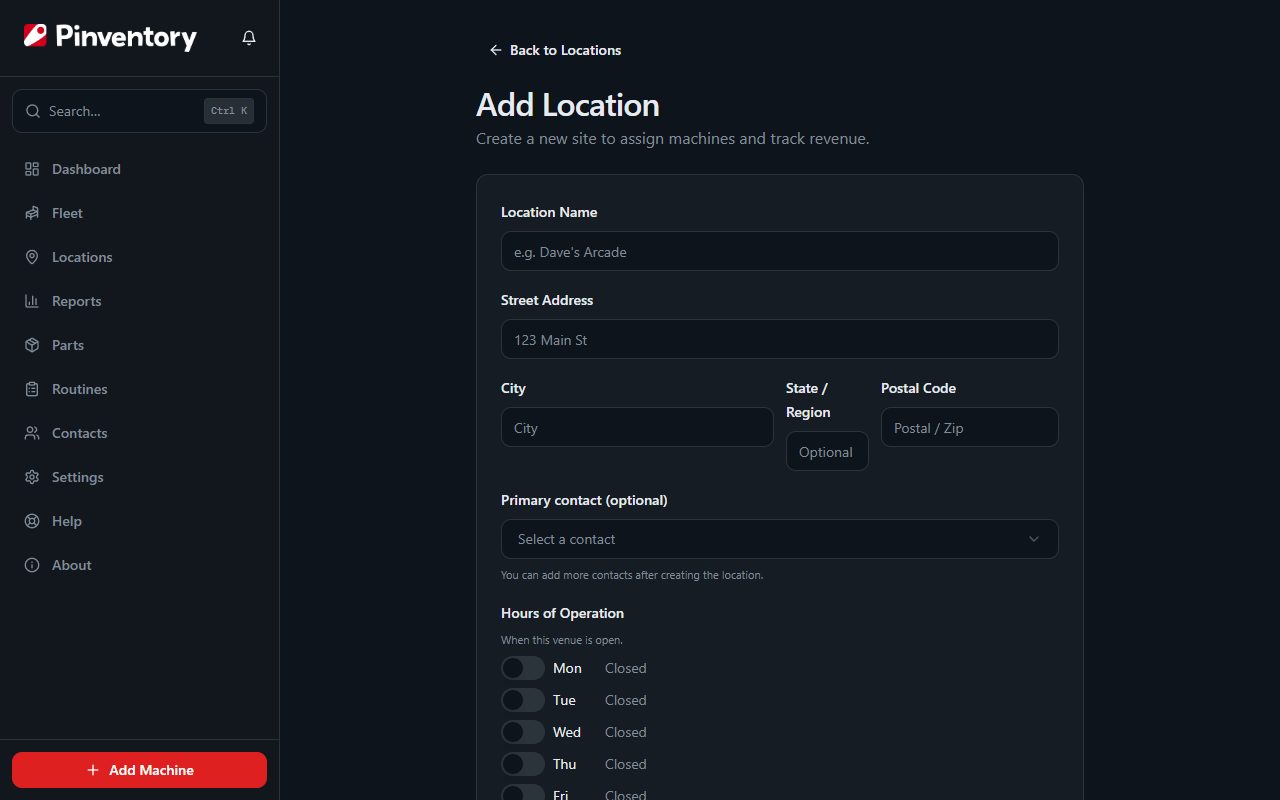
Assigning a game to a location is what ties the money to the venue it came out of. Until you do it there is no split to apply and nothing to pay the bar against.
Games move. You pull a title out of one bar in June and drop it in another, but the money it made before the move still belongs to the first bar, and you still owe them their cut of it. Pinventory stamps the location onto each collection as you record it, so relocating a game does not quietly rewrite what you owe for last quarter.
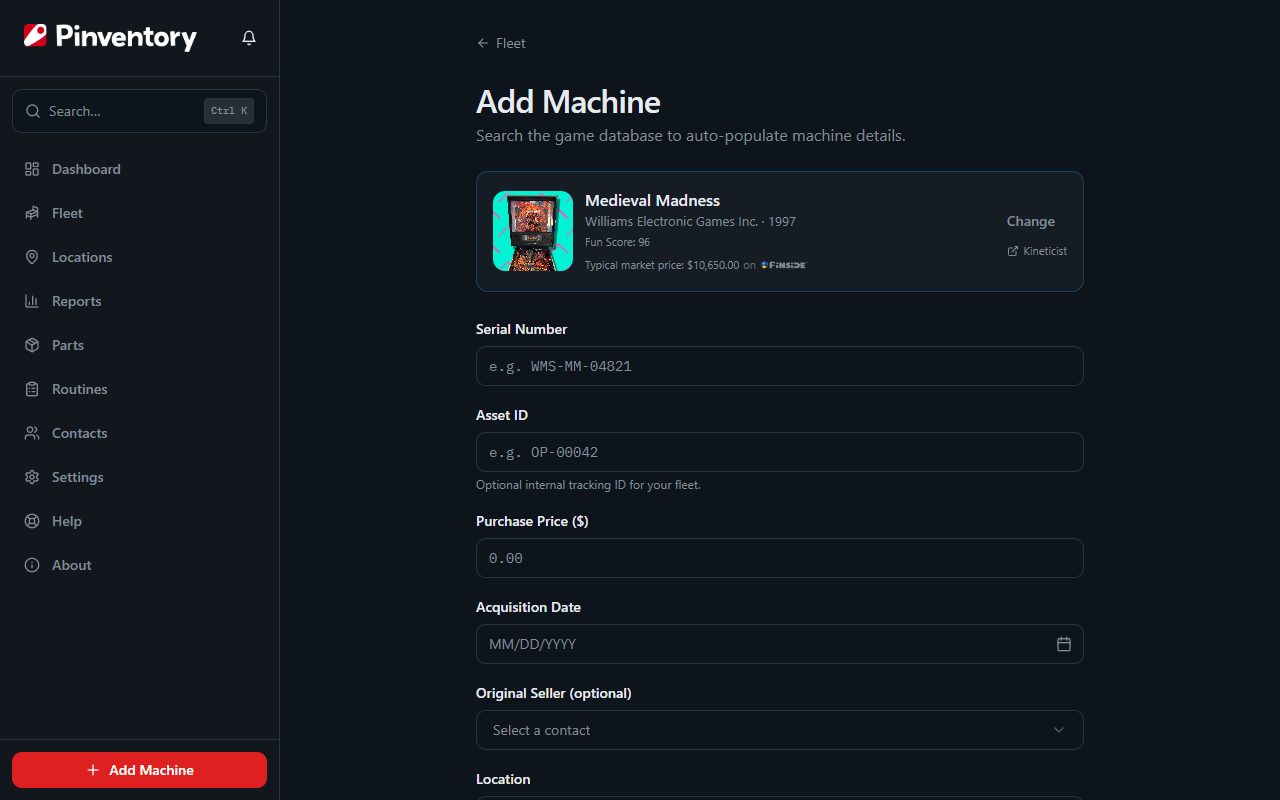
Games come in from the catalog, from a spreadsheet, or typed in by hand. All three land the same record, which you appreciate on the day you buy eight machines off another operator at once.
2. Record the split between the operator and the venue
Most venues run on one of two arrangements:
- Per play. The machine takes coins or bills, and you and the venue split what comes out of the box. The percentage sits on the location, because the bar that gave you the good wall and the bar that took you on trial are rarely on the same terms.
- Free play or door fee. The venue pays for the games and customers play for free. There is no cash box to divide, so the venue pays you at the venue level instead of per machine.
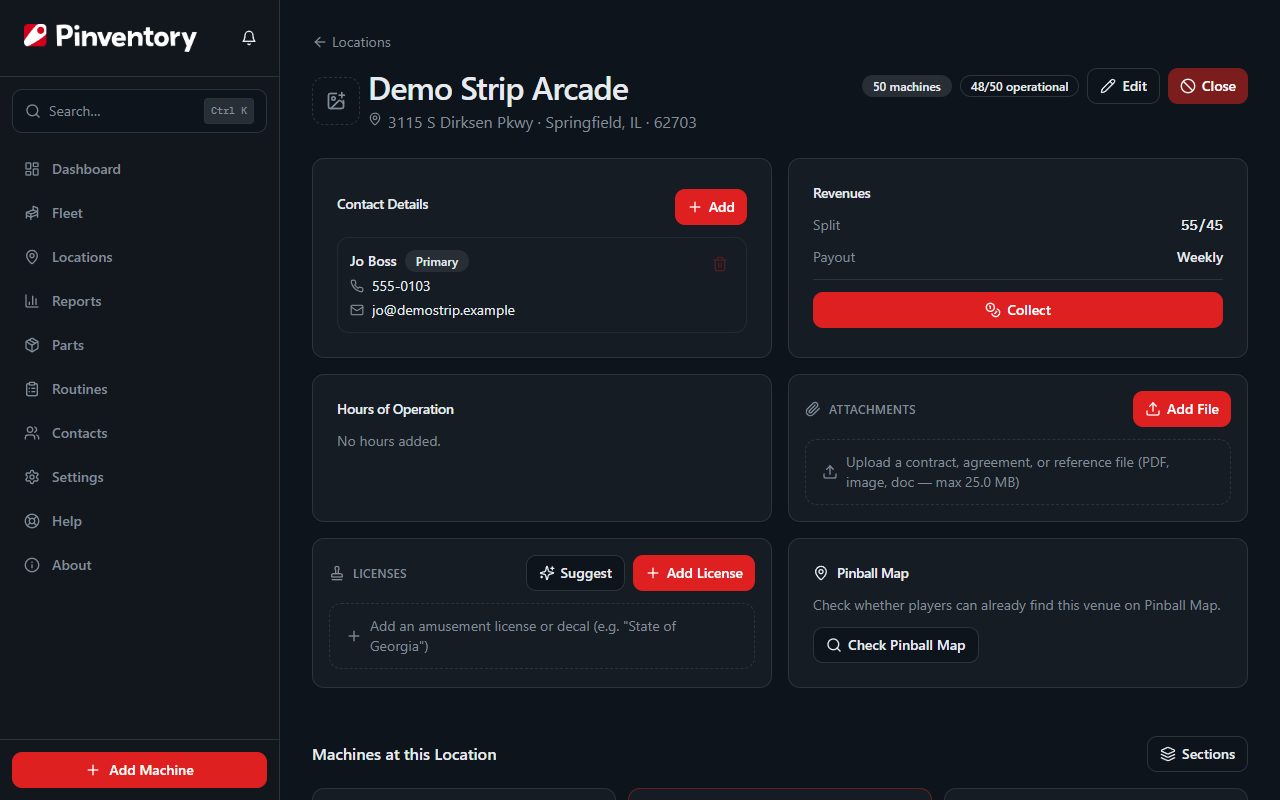
If you set a free-play bar up as per-play, every game there reads as a zero. Those zeros land in the same averages as your real earners, so a game doing fine at a door-fee venue can end up looking like the worst performer on your route, and you pull a game that was never the problem. Mark the location free play and those games stay out of that math.
3. Collect revenue from the games
Nobody skips this part. You are at the bar with the key and the bag. What slips is getting the number out of your hand and into a record, and that is where the whole thing quietly falls apart.
The game audit is not the collection
Modern games keep their own audits, and the coin and play counts on that screen are worth reading. They still are not the money. What the game counted and what you carry out of the bar come apart for plenty of ordinary reasons: a coin mech jams, a bag gets miscounted, somebody changed the price and never told you, or a hand went in the till. Every one of those shows up as a gap between the two numbers, and if the audit is your only record there is no gap to see.
So record what you counted, not what the game claims. Pinventory keeps audit readings and collections as separate numbers rather than folding one into the other, which is the only way you ever get to see them disagree.
Collect the whole venue at once
Mostly, though, collections just never get entered. You are standing in a loud bar with a bag of quarters and six games left to do, and anything that takes half a minute per machine is going to lose to doing it later, which means never. Open the venue instead and enter the whole run on one screen: one date, one amount per game, a total that adds up as you go.
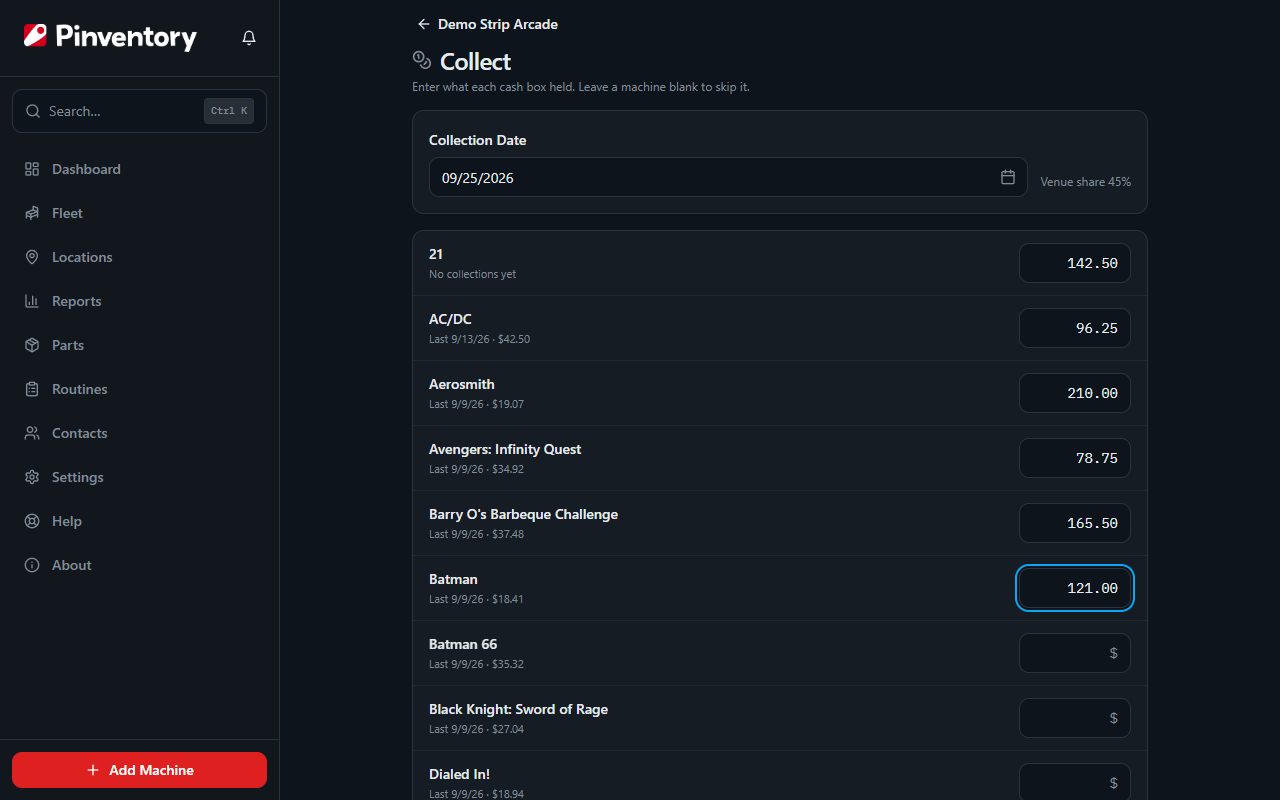
If you are only there for one game, log it from the machine instead. Either way you get the same record.
Date it when it happened
Backdate the entry to the day you pulled the cash. Reports filter by period, so a collection stamped with the day you got around to typing it can land in the wrong month. Do that a few times across a couple of venues and your month-to-month comparison is measuring your paperwork habits instead of your route.
4. Pay the venue their share if you split with them
If the venue takes a cut, the split is only a number until they are actually paid. Bars stay with an operator for years or go looking for another one over exactly this, and what makes the difference is dull: pay when you said you would, and show enough detail that they can check it.
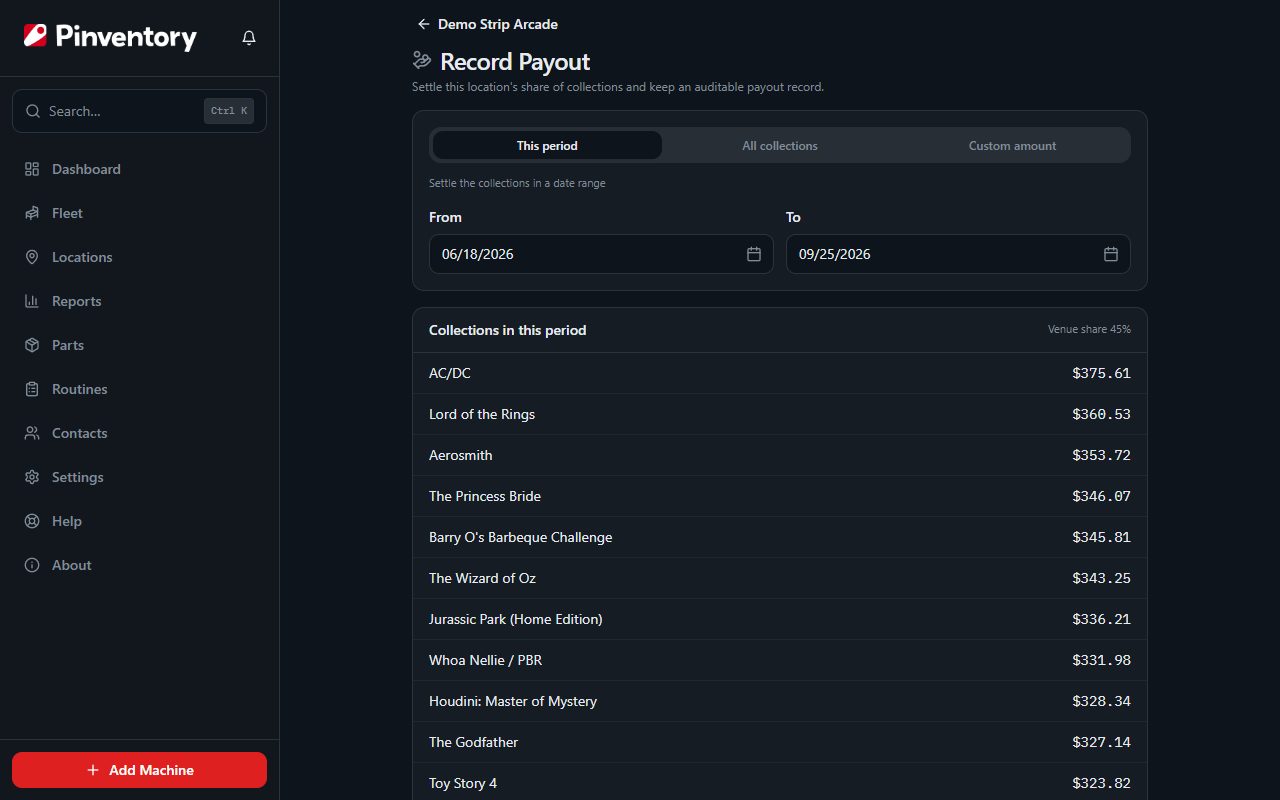
Set a payout frequency on each location, weekly, every two weeks, or monthly. Pinventory then tells you when one is due, so you do not have to keep the calendar in your head. When you settle up, the venue gets a statement that lists the collections the payout covers and shows how its share was worked out. It goes to the people at that venue who need it.
5. Report the revenue (and optionally export it to your accounting software)
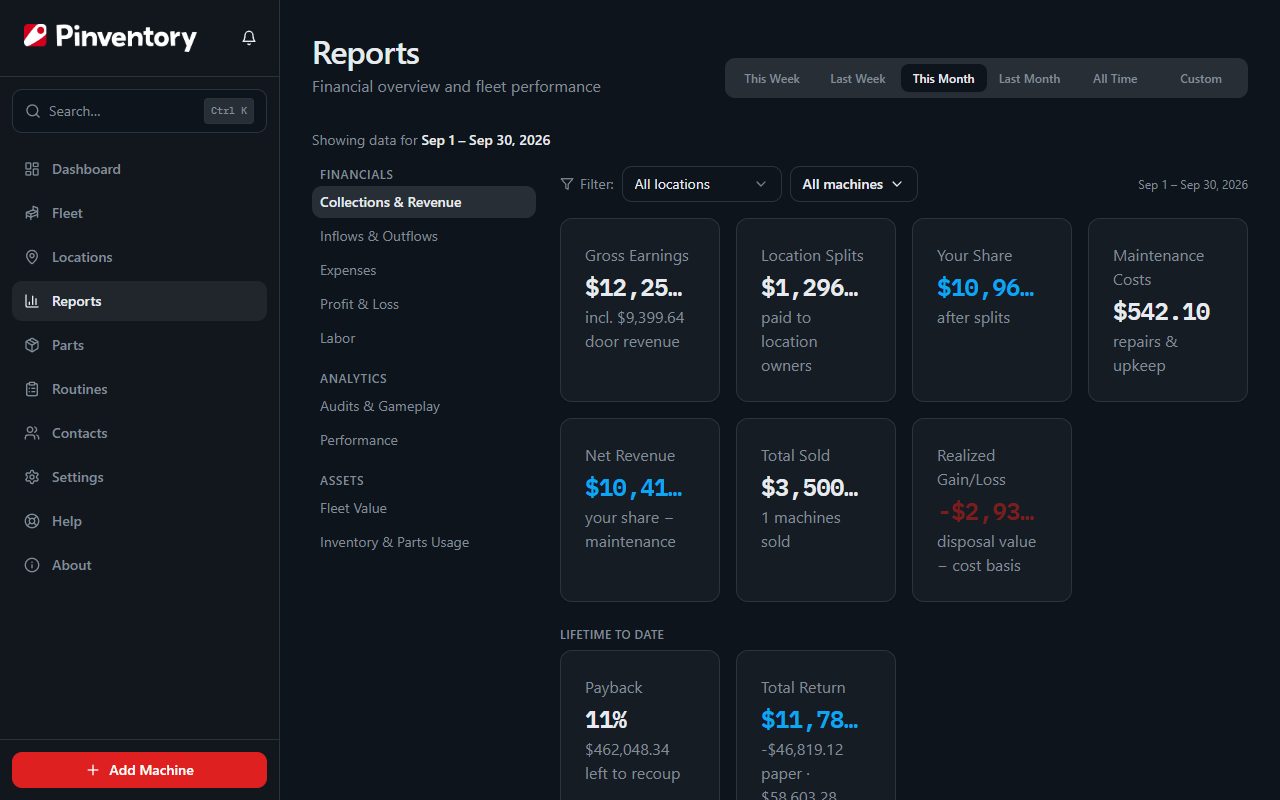
This is where the first four stages pay off. The reports answer questions you cannot answer any other way:
- Which games earn their floor space. Revenue per machine, so a title that has been sliding for two quarters gets moved instead of forgotten.
- Which venues are worth the drive. A location that pays 50 percent on strong numbers can beat one that pays 70 percent on weak ones, and only per-venue totals show that.
- What you actually keep. Gross collections are not profit. Parts, the van, the venue's share, and your own time come out first.
- Whether play is holding up. Audit readings recorded over time, so you can watch a title's plays slide months before the cash makes it obvious.
You cannot reconstruct any of it later from memory, which is the reason to keep the first four stages current even in the weeks it feels like paperwork.
If your books live somewhere else, the same figures push into QuickBooks Online or Xero as journal entries, so nobody is re-typing a quarter of collections at tax time. You pick the date range and the accounts, and the revenue, the venue splits, expenses and maintenance go across together. That part needs Pro.
Where the loop usually breaks
In roughly the order operators hit them:
- Games are placed but collections never get entered. The fleet list looks healthy and the money side is empty, so no report works. This is the most common stall by a wide margin.
- The split lives in one person's head. Fine until you are away and someone else does the run.
- Collections get entered in a batch months later. The totals survive, the dates do not, and every period comparison is now wrong.
- Payouts happen but leave no record. A venue asks about a month from last spring and there is nothing to show.
- The game audit is treated as the money. Nothing then catches a coin mech eating quarters, because there is no second number to compare it against.
Where Pinventory fits
Pinventory is built around this loop rather than around a machine list. Machines carry their location, locations carry their revenue model and split, collections are entered per venue in one pass and stamped with the location and date, payout frequencies produce reminders and emailed statements, and the reports read from all of it.
This page is the why. For the click-by-click version, the collections and payouts guide walks the same path inside the app, and the free-play guide covers door-fee venues.
The core is free. If you are earlier in the decision, how to choose route management software compares the kinds of tools that exist, and why track your pinball business makes the case for keeping records at all. If you also rent games out to players, renting out pinball machines follows that money into the same reports.