


Operator guide
Don't run your pinball route or arcade business on a spreadsheet
Most routes start on a spreadsheet and run that way for years. This is what moving one into Pinventory looks like, screen by screen, and what changes once you have.
Bring over the records you already have
Open Fleet and use Import Machines in the header. Upload the CSV or Excel file you already have. Pinventory reads your columns, matches each row against the game database, and shows you the result before anything saves. Fix the rows it could not match, then import.
Pinventory fills in the manufacturer, release year, and backglass art for every matched game. Serial numbers, asset IDs, and what you paid import from your own columns.
Set each location's split once
Open a location and find the Revenues card. Enter your share and the location keeps the rest.
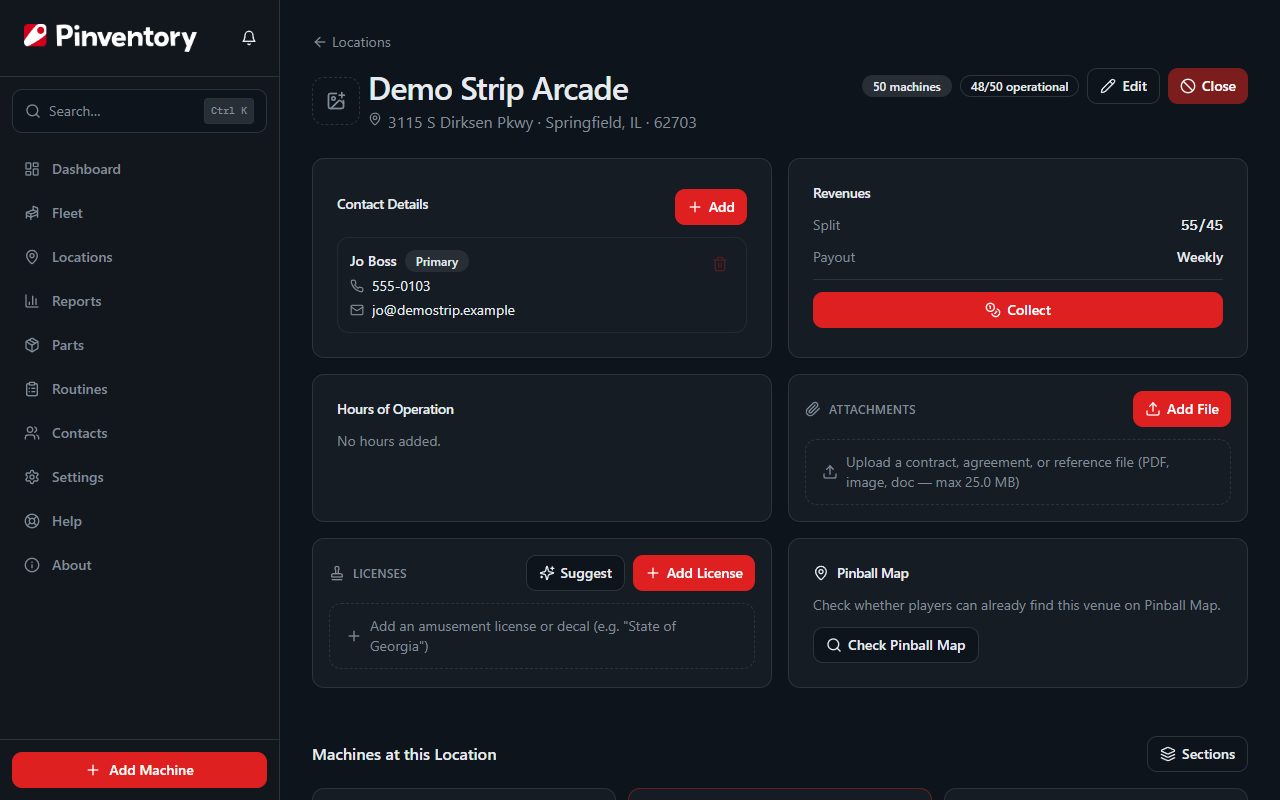
Pinventory stamps that rate onto every collection at the moment you record it. Renegotiate next spring and the collections you already settled keep the rate you agreed at the time. In a spreadsheet, changing that cell changes the whole column, including months you have already paid out.
Collect a whole location in one pass
Press Collect on the location page. You get one sheet with every machine at that stop and a single date at the top.
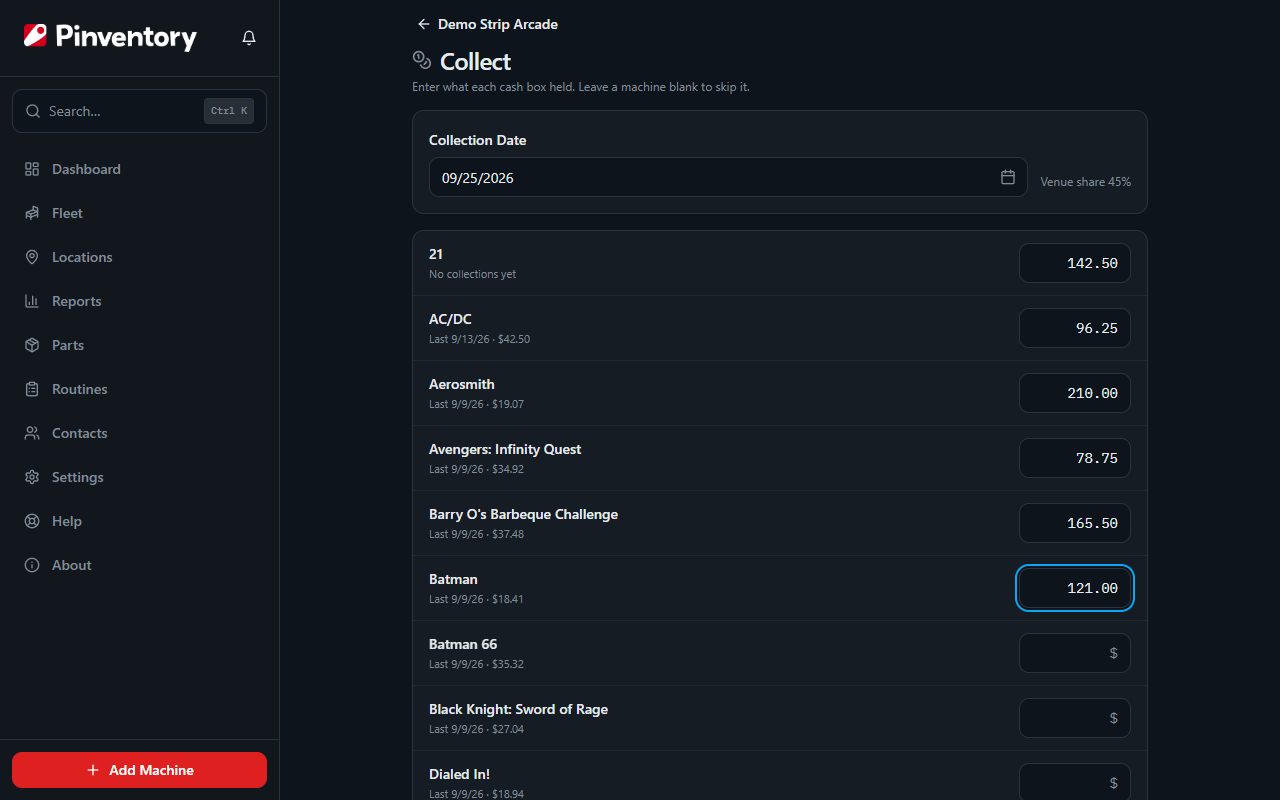
Work down the list and enter what came out of each machine. The card at the bottom shows a running total of the gross, the location's share, and your net, so you can check the figure against the cash in your hand before you save. The split divides to the cent, so the payouts add back to exactly what you collected.
Use Pinventory's reminders to alert you for needed maintenance
Open a machine, go to the Maintenance tab, and use Add Reminder. A reminder can be due on a date, or after a number of plays on a meter you record.
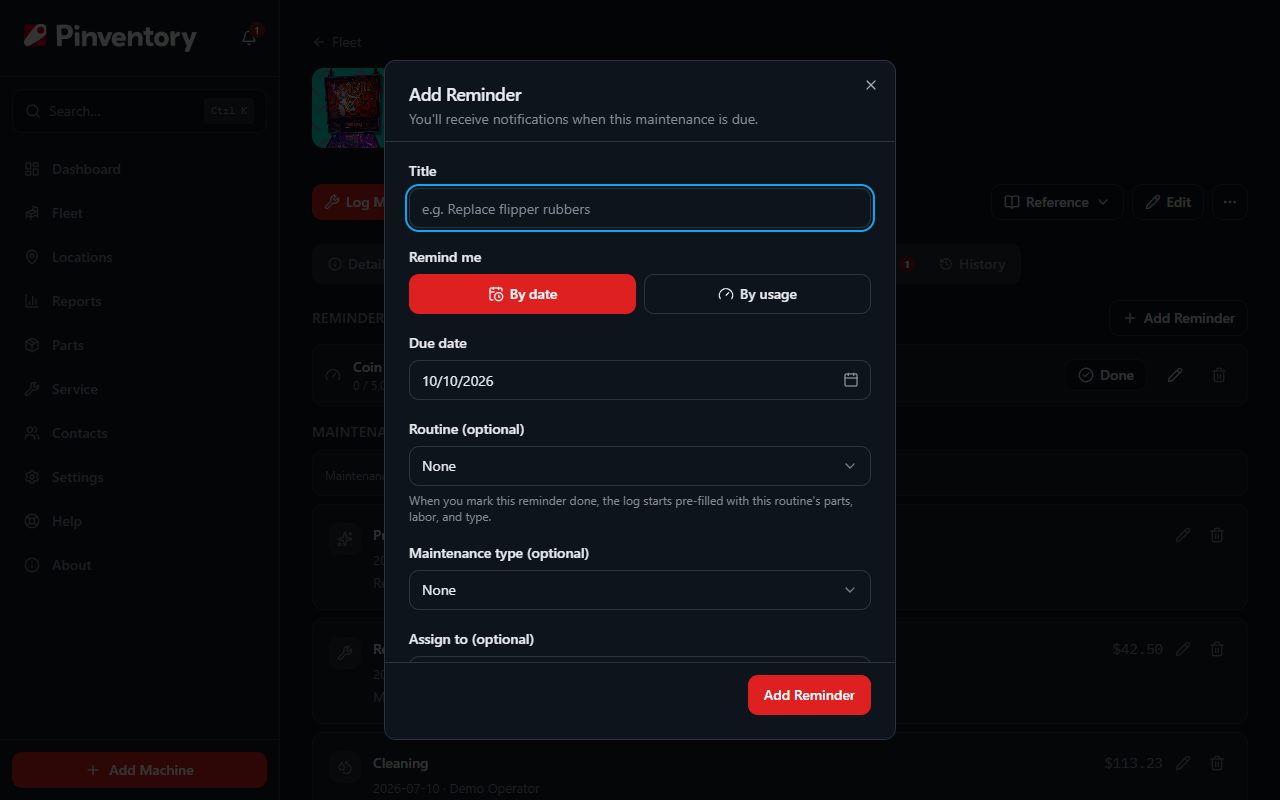
When one comes due it shows on your dashboard and can reach you by email or push. Press Done and the maintenance log opens already filled in. Machines built before 2006 raise a battery alert on their own, without a reminder.
This is the part a spreadsheet cannot do at all. It will hold every one of these dates. Nothing in it can raise one.
Have your players report issues with Pinventory's QR Codes
Open a machine, use the Print Cards menu in the header, and choose the QR code option. Print it and stick it on the cabinet, or download the SVG and drop it into your own artwork.
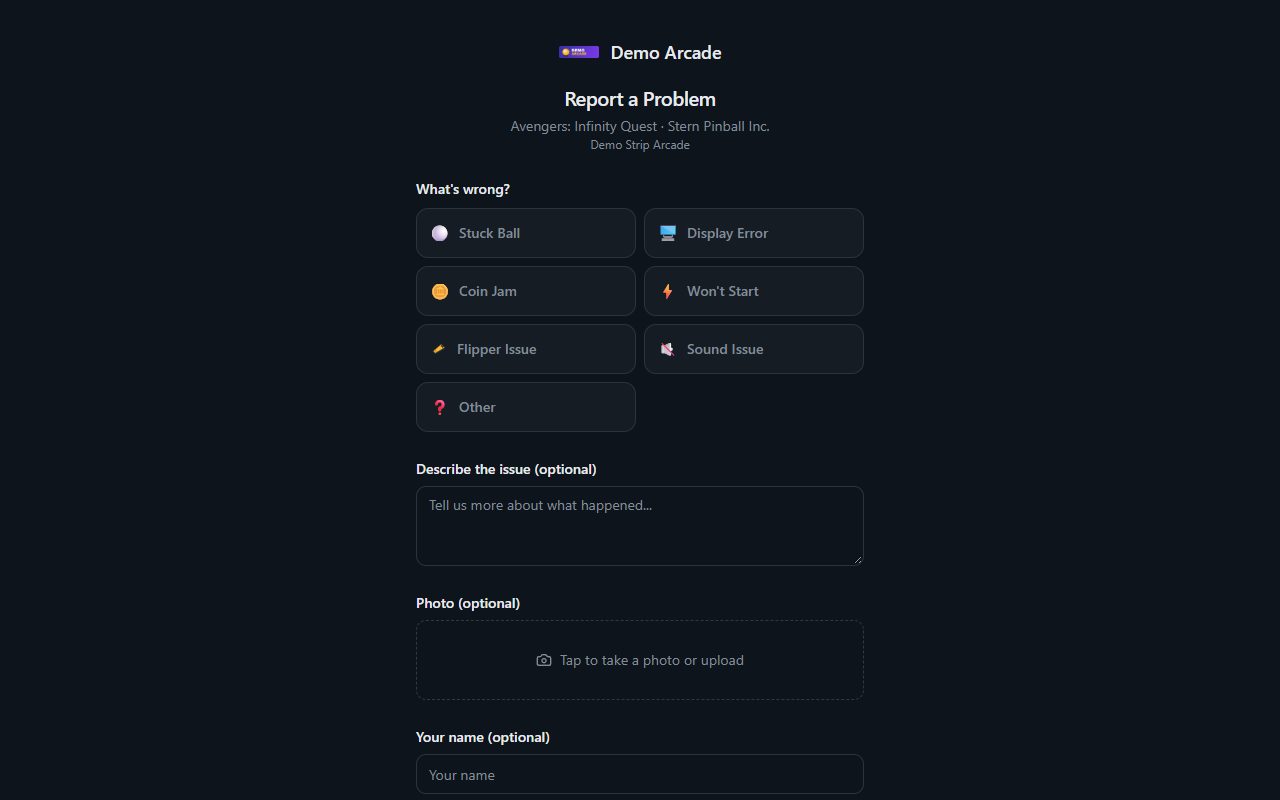
A scan opens a short form branded with your business name. The player picks what is wrong, and that arrives on the machine's Issues tab with a push and an email to you. Your own crew files the same issue from a phone at the machine.
See what a machine earned and what it cost on one page
On a sheet, the maintenance log is one tab, parts are another, and collections are a third. Here they are the same record, so a few things happen without a second entry:
- Fit a part from your own stock and its value leaves inventory and is added to that machine's cost basis.
- Turn on Itemize Parts & Labor on a maintenance log and the parts and hours you entered become the cost of that job.
- A machine's page shows what it earned, what it has cost you, and what it is worth now, because all three come from records you already made.
Export everything you put in, whenever you want
Go to Settings and press Export All Data. You get 46 CSV tables covering machines, locations, earnings, payouts, maintenance with its parts and labor, parts inventory, purchase orders, issues, contacts, and the activity log.
Delete the account and those rows go with it. Each business's rows are isolated at the database level, and nothing about your earnings is sold, pooled, or published.
Related
Choosing route software covers the kinds of tool that exist and which of them handle money at all. The collections lifecycle follows one dollar from the machine to your profit number. Or see how Pinventory works for operators.