

QR codes and player reports
Let a player tell you a game is broken before the venue does.
Find the codes
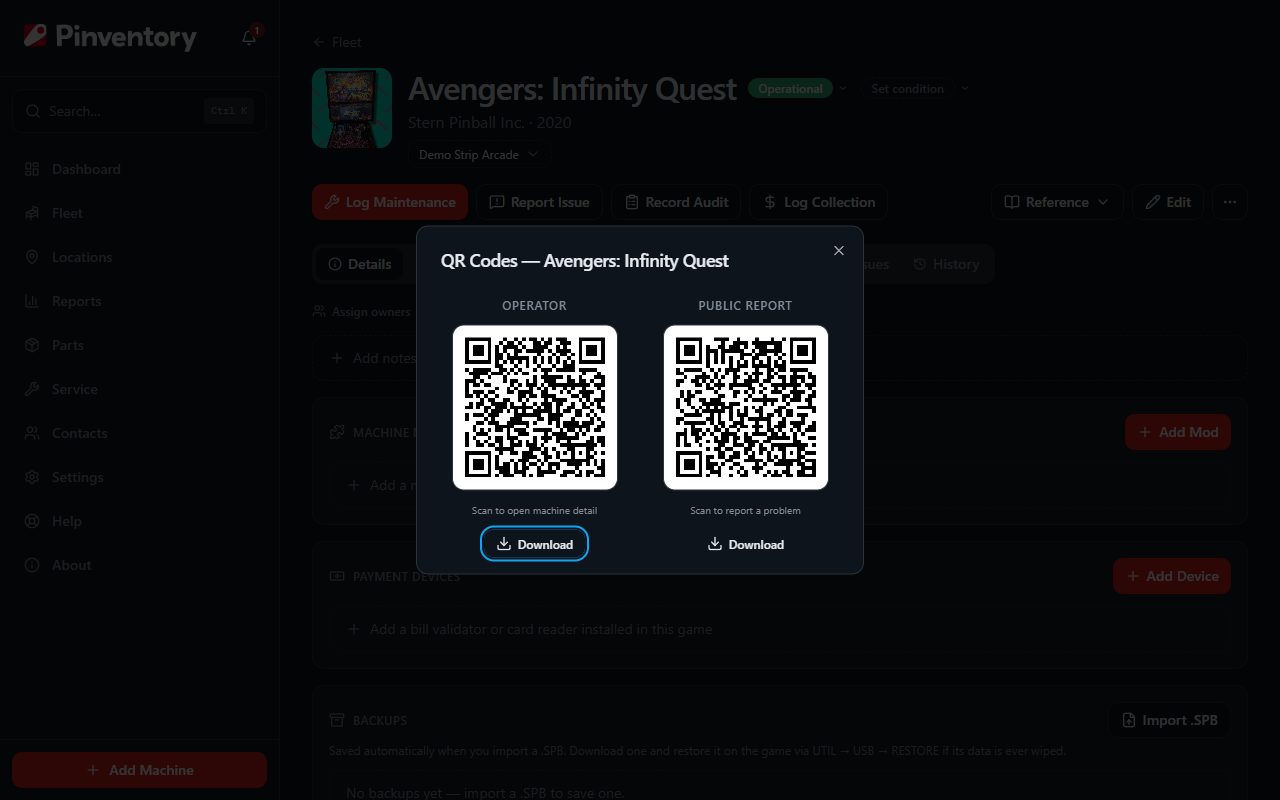
Every machine has its codes ready from the moment you add it. Open the machine and open the menu at the end of the row of buttons under its name (the three dots). Under Print Cards, choose the QR code option.
There are two codes and they do different jobs. The operator code opens the machine inside Pinventory and is for you and your team. The public code opens a report form for anyone who scans it and needs no account and no app.
Only the public code is safe to put on a game in a venue. The operator code is a shortcut into your own records.
Print it
Download either code as SVG or PNG if you are dropping it into your own artwork. SVG scales to any size without going soft, so use it for anything larger than a sticker.
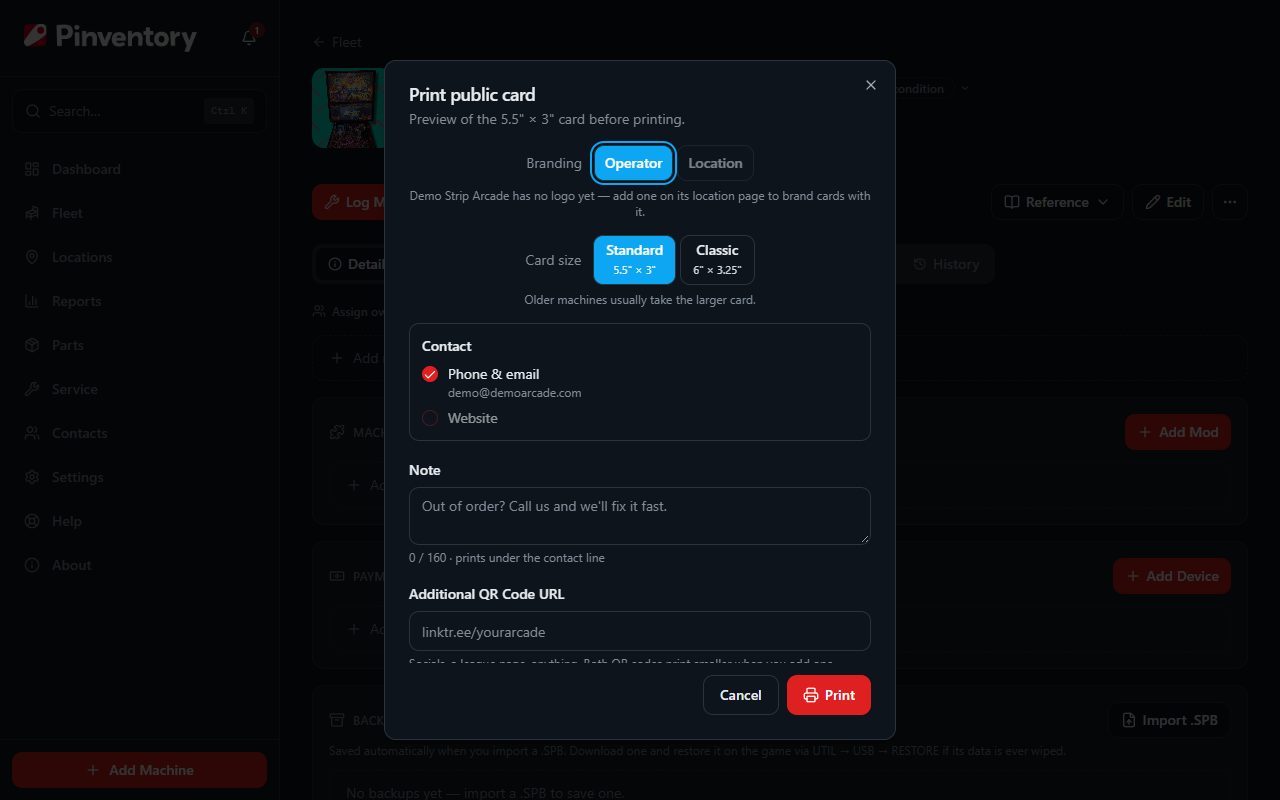
For a finished card, print the Public Card, which carries your business name and logo alongside the code. The Asset Card is the internal version for your own labelling. You can print the whole fleet at once from the Fleet page instead of one game at a time.
What the player sees
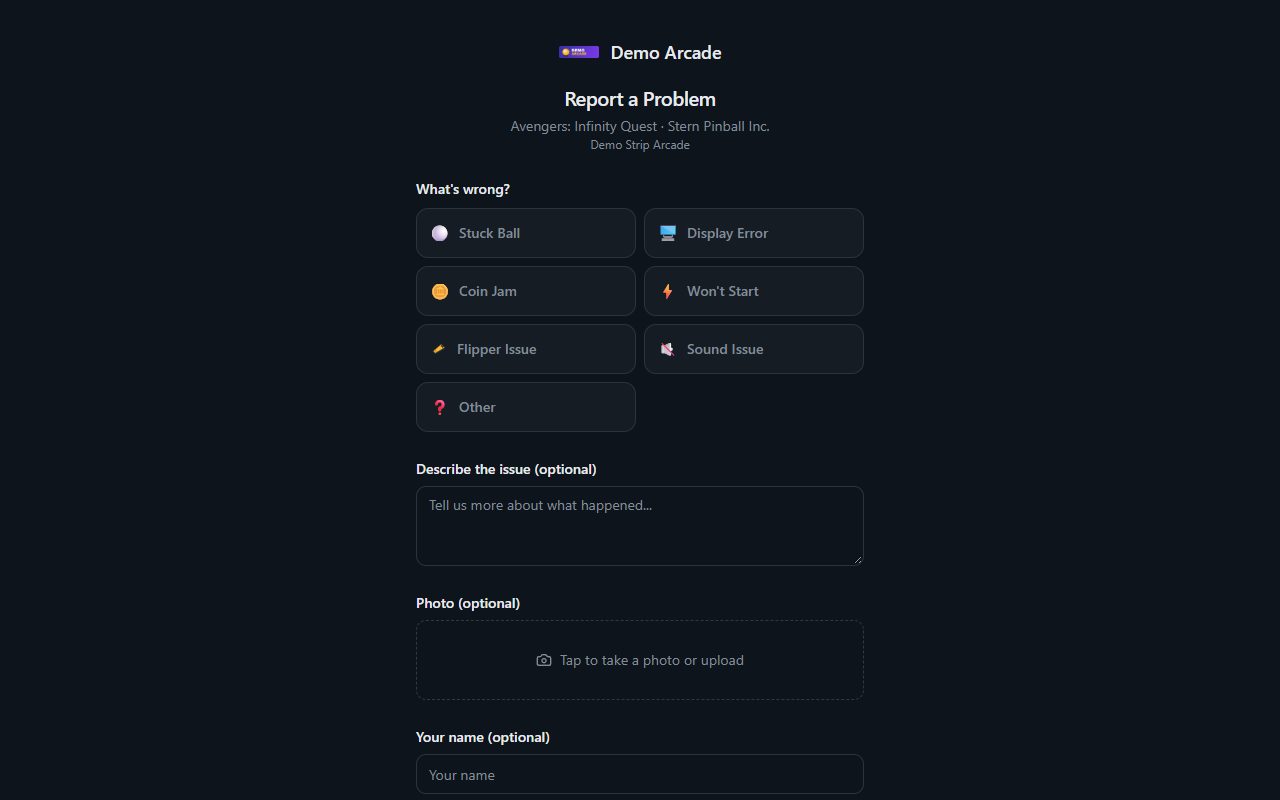
A scan opens a short form branded with your business name and the machine it belongs to. The player picks what is wrong from a set of plain choices such as a stuck ball or a flipper problem, adds a description, and can attach a photo.
Contact details are optional. If the player leaves an address and asks to be told when it is fixed, Pinventory emails them once you resolve the report.
To stop offering that email, open Settings and turn off Email players when an issue is fixed under Preferences. The form keeps the name and contact fields and drops the email checkbox. A player who already asked for an email still gets it when you resolve their report.
The page reads in the visitor's own language where Pinventory has it, then falls back to your region and then to English.
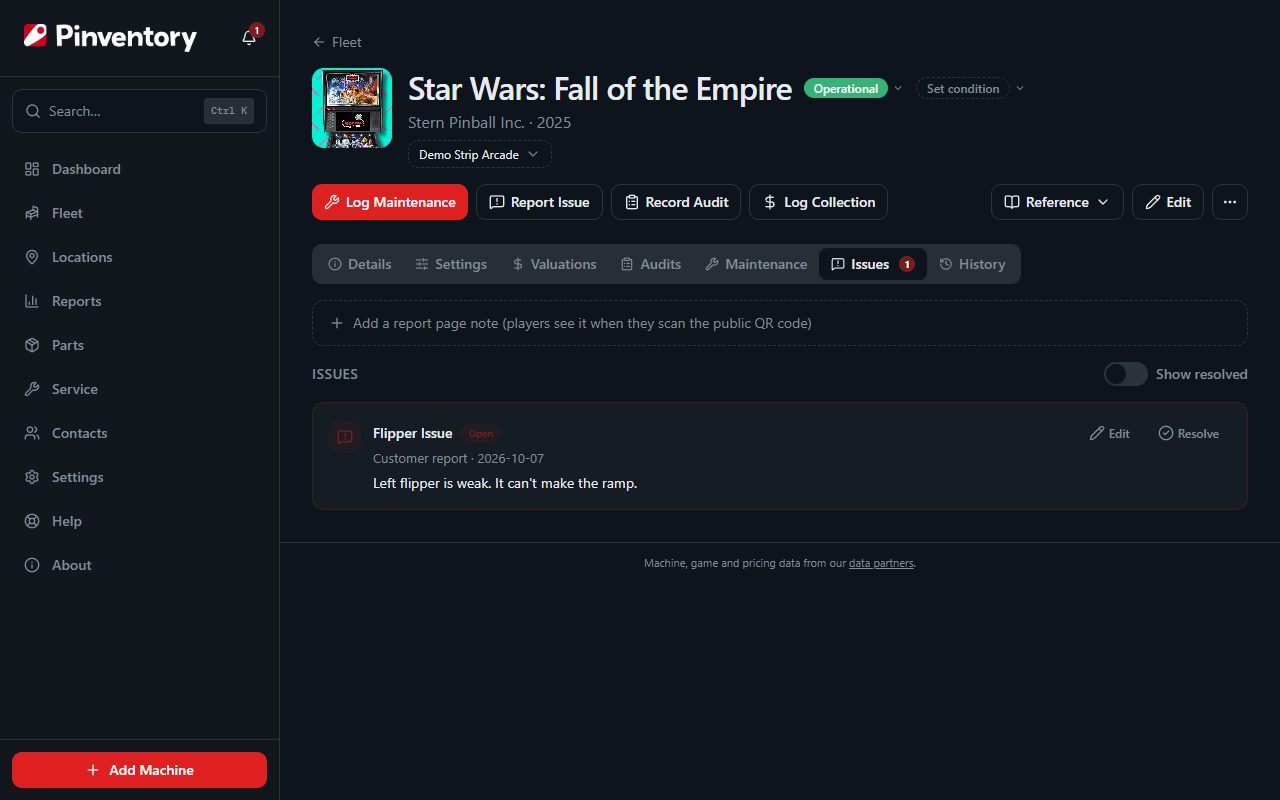
If you already know about a problem, open the machine's Issues tab and add a report page note, such as "We know the left ramp is out. A fix is on the way." The player sees it above the form, so you stop getting the same report all night. Pinventory shows the note as you typed it and does not translate it. Remove it from the same place once you fix the game.
Handle the report
Reports arrive on the machine's Issues tab, alongside the issues you and your team raise yourselves. Work them the same way.
When you resolve a report, Pinventory offers to log the maintenance at the same time, so the fix is recorded against the machine rather than living only in the issue.
The Track and fix issues guide follows a report from there: who gets told, how to assign it, and what the player hears back.
Good to know
- The public form never exposes your fleet. It shows one machine and takes a report, nothing more.
- Collector accounts have the public code hidden, since there is no venue and no public to report from. Issue tracking still works.
- Put the card where a player stands, on the front of the cabinet or beside the coin door. A code on the back gets scanned by nobody.