


Token locations
Track a location where players buy tokens from a change machine and the games take tokens. The money is the cash you take out of the change machine. The games tell you how many tokens they took, and that token count is how you compare them.
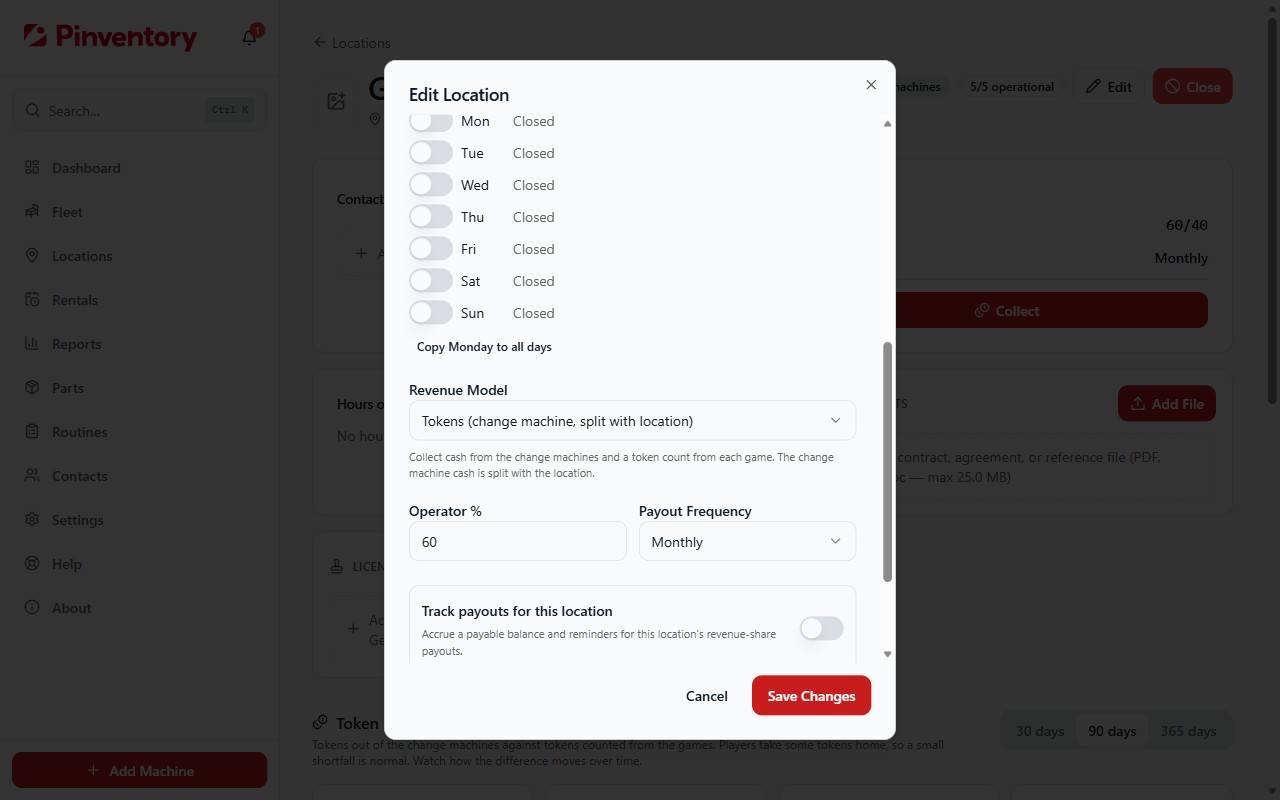
Set the location to Tokens
Open the location, choose Edit, and set the revenue model to Tokens. The split field stays, because the location still gets its share of the change machine cash.
Add each change machine to the fleet
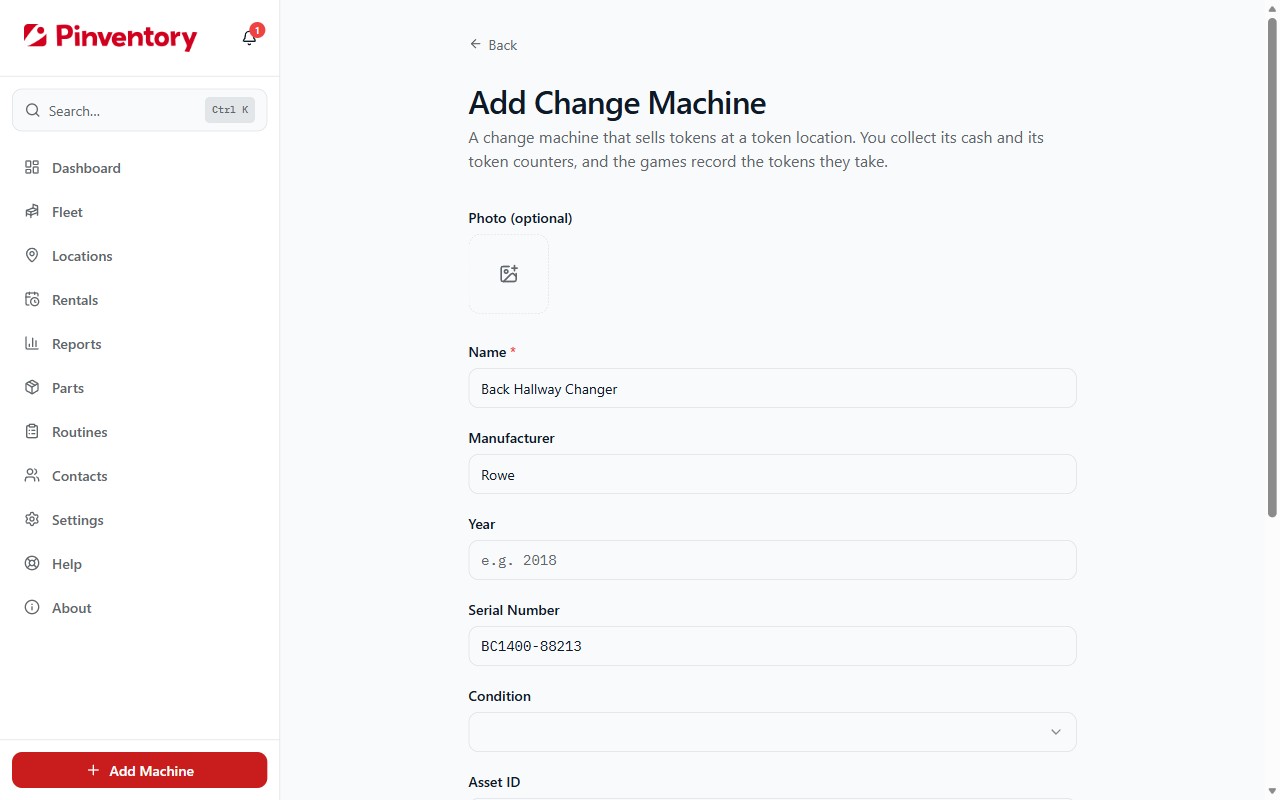
Go to Add Machine and choose Change Machine. Give it a name, pick the location it stands at, and add the serial number and purchase price if you have them. A change machine is free on every operator account.
A change machine is part of your fleet like a game. It counts toward your fleet value, you log maintenance on it when a bill jams, and players can scan its QR code to report an eaten bill or an empty hopper.
Collect the change machines
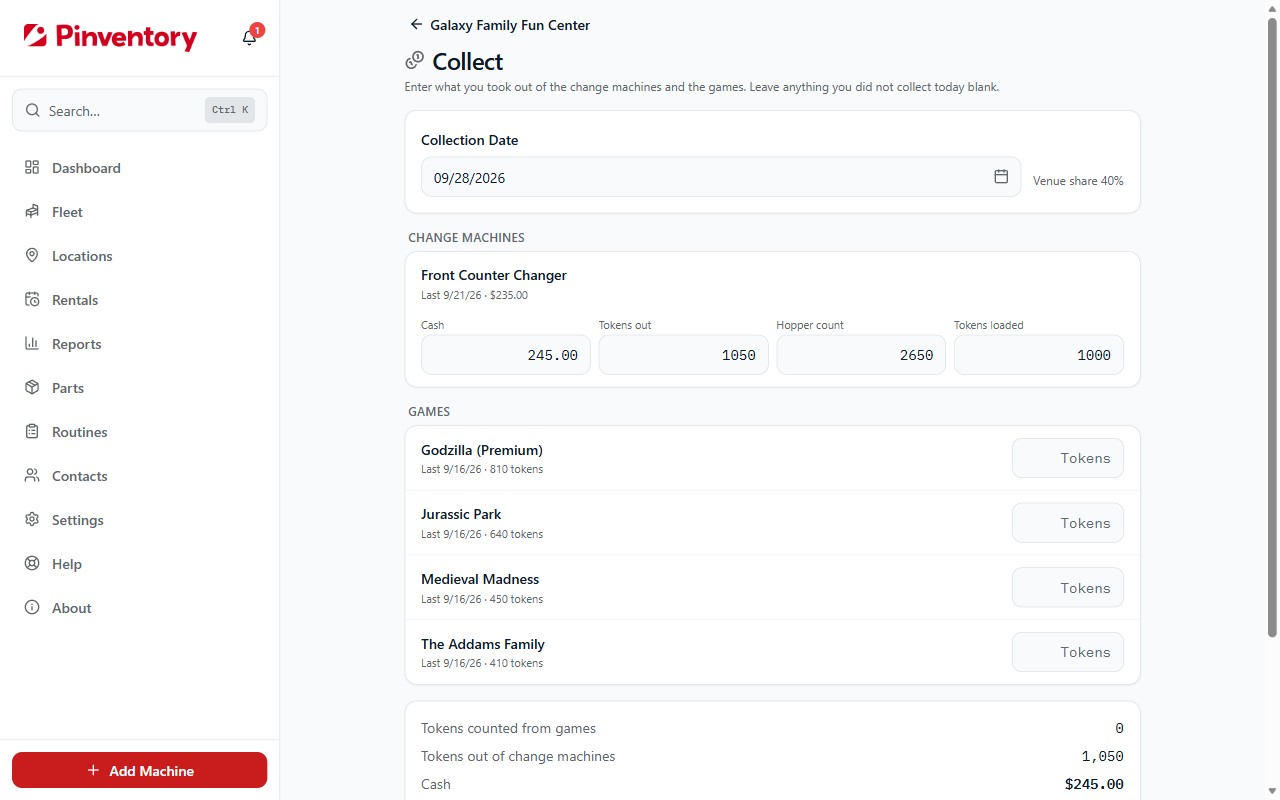
Open the location and choose Collect. For each change machine, enter the cash you took out. Then read its counters and enter what it shows: Tokens out is the number of tokens it paid out since you last reset the counter.
If you count what is left in the hoppers, do it before you refill, and enter it as Hopper count. If you refill, enter the tokens you put in as Tokens loaded. Both are optional.
The cash is the money for the location. The location's split and your payouts come from it.
Collect the games
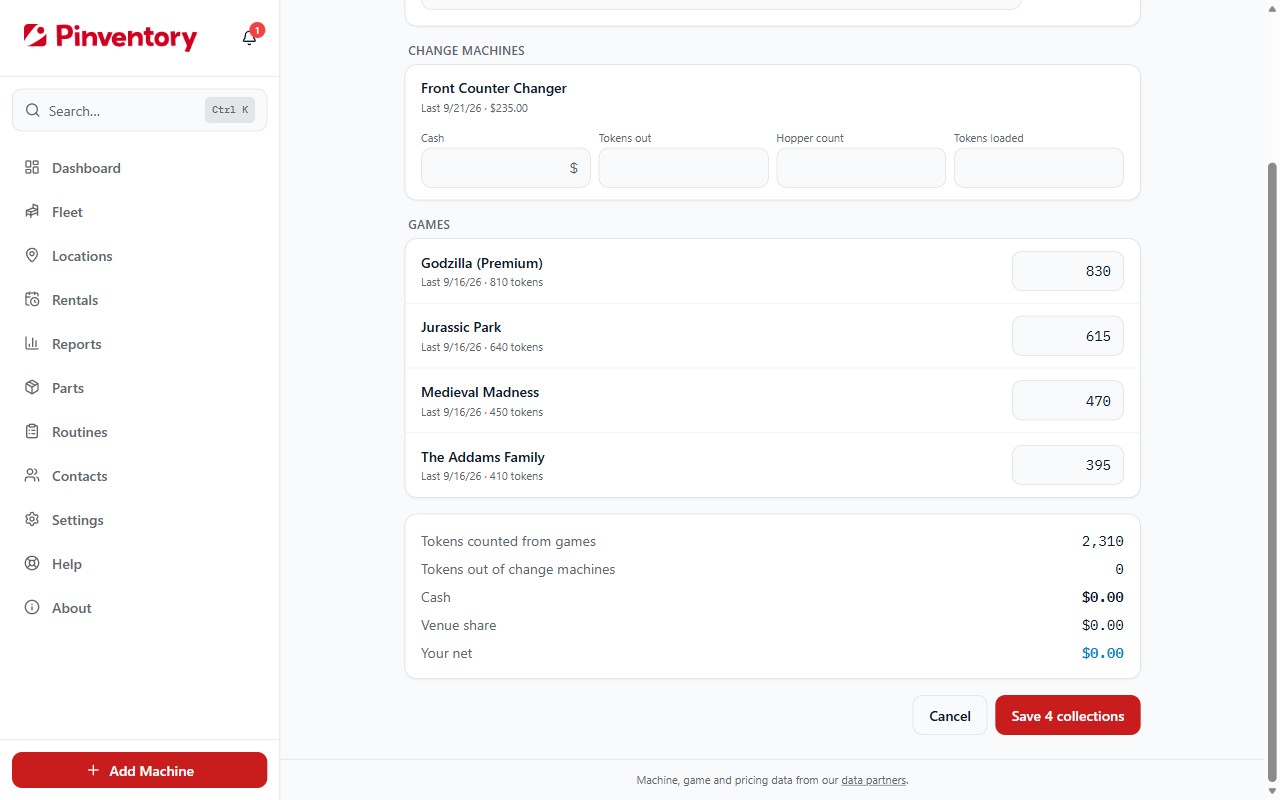
For each game, count the tokens in its coin box and enter the count. You do not have to empty the games on the same day as the change machines. Leave anything you did not collect blank.
Count the tokens by hand rather than reading the coin audit. The audit counts coin-switch hits, and a token on a string or a pressed coin switch adds a count with no token behind it.
A game at a token location records tokens, not money. The Performance report ranks games by money, so these games are not ranked there.
Read the Token Balance
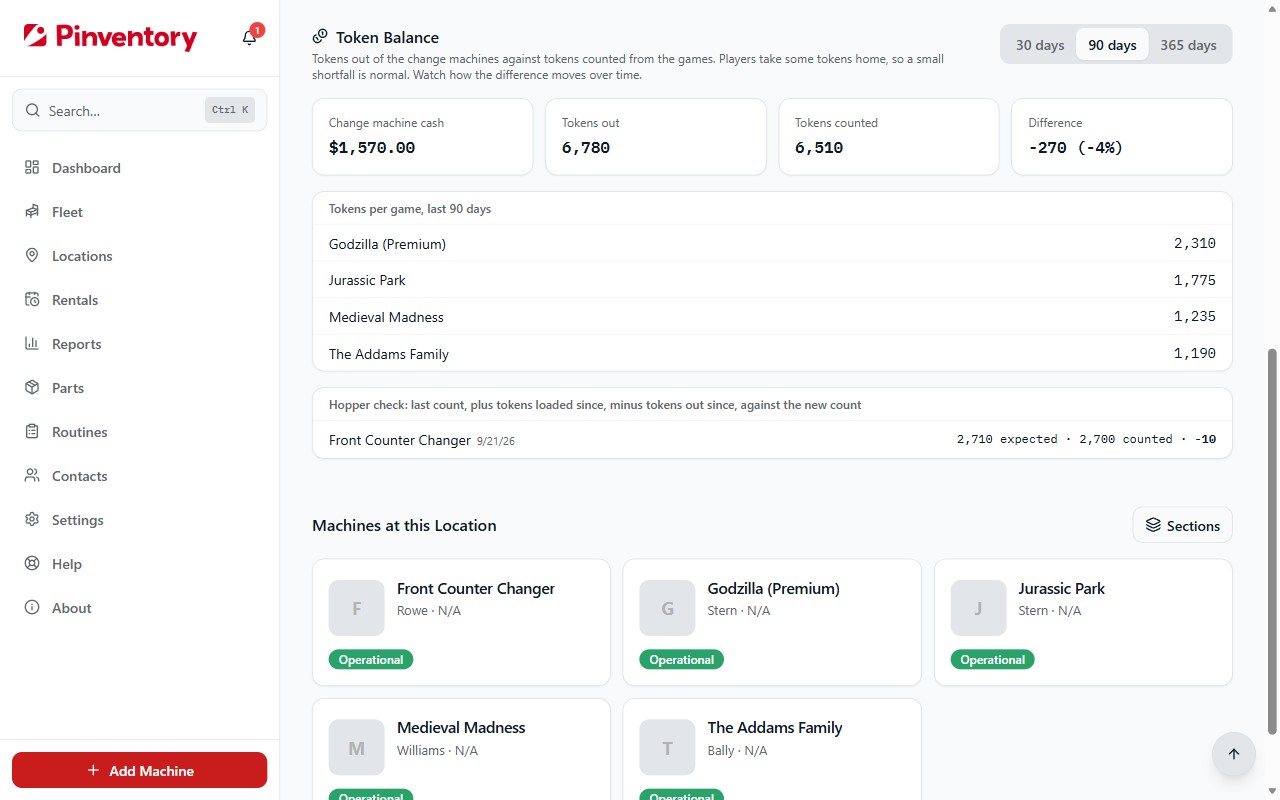
The location page shows a Token Balance card over 30, 90, or 365 days: the change machine cash, tokens out, tokens counted from the games, and the difference between the two token counts.
Players take some tokens home, so tokens counted usually comes in a little under tokens out. Outside tokens that fit your coin mechs push the other way. Watch how the difference moves over time more than any one number.
The card also lists tokens per game, and a hopper check for each change machine: its last hopper count, plus the tokens loaded since, minus the tokens out since, against the new count. A mismatch points at a bad counter, or tokens that left the hopper some other way.
Good to know
- Every collection is its own entry, so you can edit or delete one from the machine's page like any other collection.
- You can run cash, token, and free-play locations side by side. The revenue model is set per location.