


Rent a game out
Rent a game to a player who wants one at home, track when it is due back, and record what they pay. Booking a rental needs Pro.
Turn rentals on
Rentals are off until you ask for them. Open Settings and switch on Rent games out. Only the account owner can change it, and it applies to the whole business rather than to one person.
The switch needs Pro, because starting a rental is a paid feature. Everything else stays open: if a subscription lapses while a game is out, you can still get it back and take the money you are owed.
Nothing about rentals appears anywhere in the app until that switch is on, so a fleet that never rents stays uncluttered. Once it is on, Rentals appears in the menu.
Mark the games you rent out
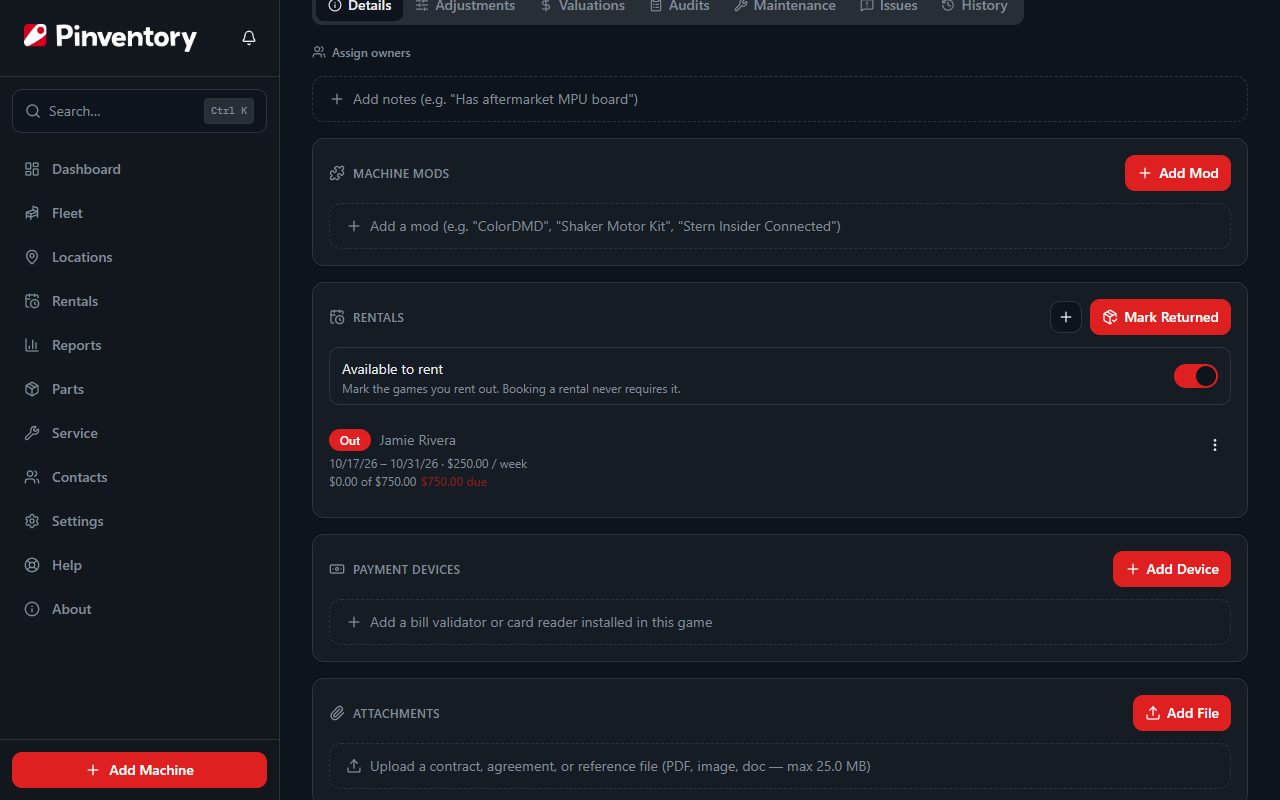
Most operators rent only some of their games. On the Rentals page, tap Choose Games and tick the ones you rent to customers. You can also switch Available to rent on a game's Rentals card.
The Rentals page then tells you how many of those games are free to rent right now. A game booked for a later date does not count as free.
Marking a game does not limit booking. You can still rent out any game from its own page.
Take the game off the floor
A game cannot be at a venue and out on rental at the same time. If it is on a location, open it and use Take Off Floor on the Rentals card. That unassigns it in one step.
This matters beyond tidiness: a game still assigned to a location is published to Pinball Map as being there, and it would be sitting in someone's front room instead.
Book it out
On the game's Details tab, choose Rent Out. Pick the renter from your contacts, set the dates, and choose a rate: flat, daily, weekly or monthly.
The renter's address doubles as the delivery address, so add it to the contact if it is not there yet. The form tells you when it is missing.
The same game cannot be promised to two people over the same days. If the dates clash you are told at once.
Tick Email the renter to send them a confirmation with the game, the dates and the rate. In the last few days before the game is due back, they get a reminder too. It needs an email on the contact. If they reply, the reply comes to your business email.
To change what these emails say, or to write them in your own language, use Renter emails on the Rentals page. Placeholders such as the game and the dates fill in with each booking's details.
Get it back, then get paid
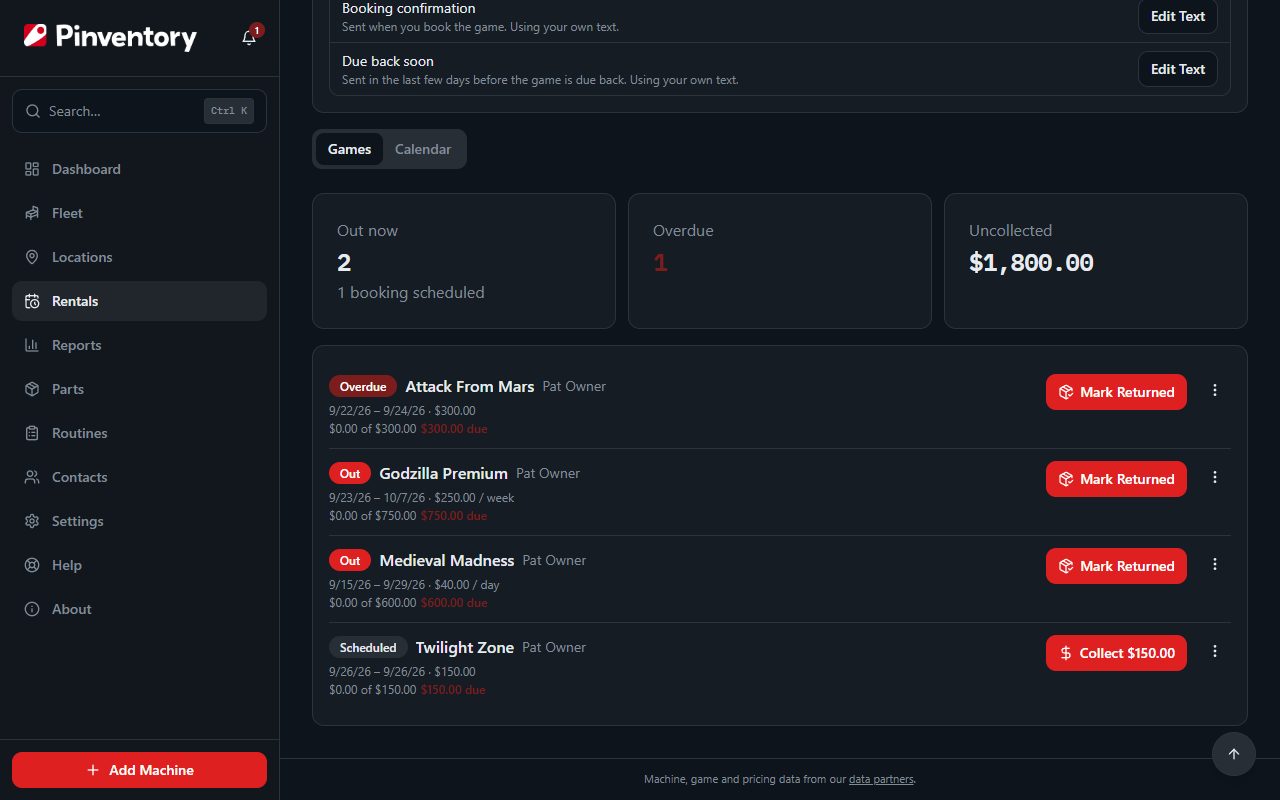
The Rentals card leads with one button, and it is the next thing to do. While the game is out it reads Mark Returned. Once it is back and money is still owed it reads Collect, with the amount. A small plus button sits beside it for booking the next rental on dates that do not clash.
The Rentals page shows the same buttons for every game at once, so you can work down the list. Switch to Calendar to see the month at a glance, with the games out on each day. Tap a day to see who has what and which of your rental games are free that day.
A game that is out cannot be sold, listed for sale or deleted until it comes home.
Share what you have to rent
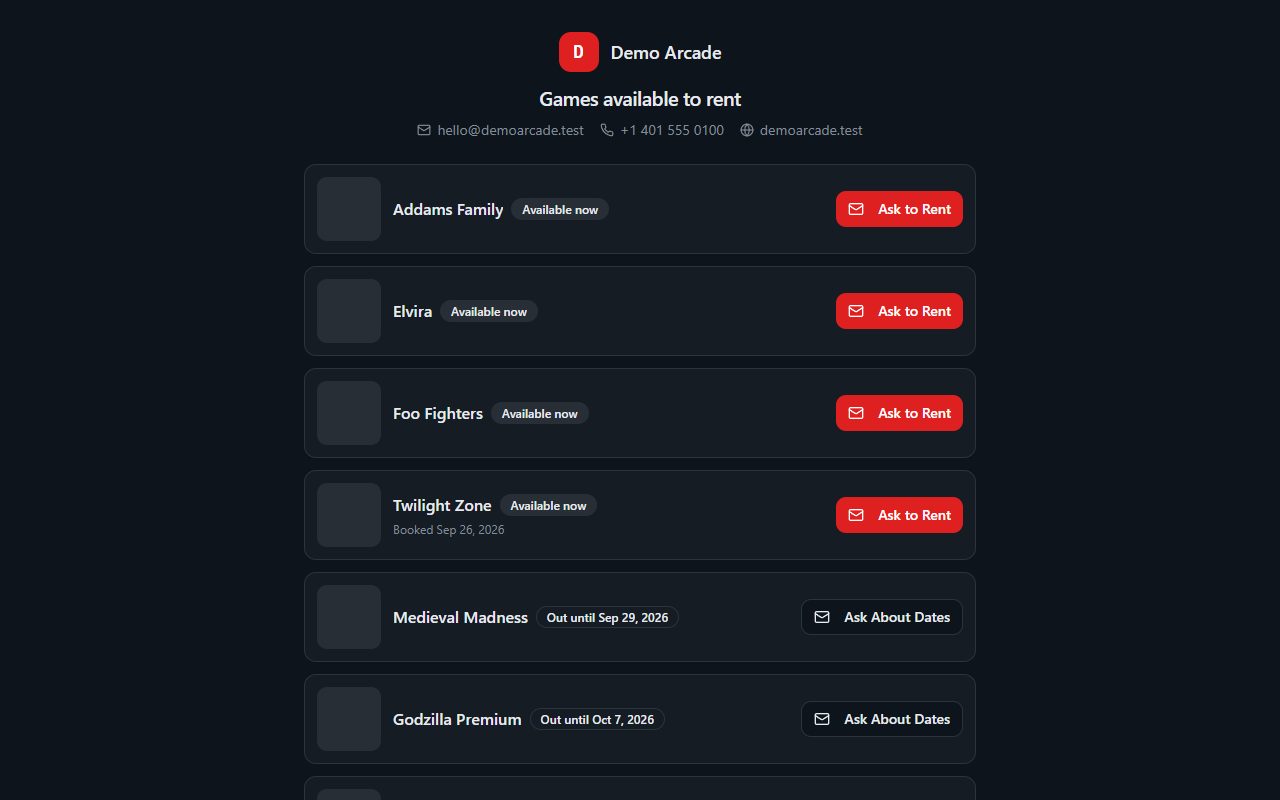
On the Rentals page, publish a public rental page. It lists the games you marked for rent with the ones available now at the top, then the rest in the order they come back, and shows the days that are already booked. It never shows who has a game or what they pay.
Every game on the page has one button: Ask to Rent when it is available, or Ask About Dates when it is out. It opens an email to you with the game already in the subject, or calls you if your business has a phone but no email. Add your email and phone to your business in Settings, or visitors have no way to ask.
Share the link, print its QR code, or copy the embed code onto your own website.
Games in a private section stay off this page, even when you marked them for rent. Open the location, choose Sections, and turn Private off to show them again.
If the link spreads further than you want, get a new link and the old one stops working. You can also take the page down at any time. Publishing needs Pro.
Know when one is late
The day a rental ends, Pinventory emails and pushes a reminder, then repeats it weekly while the game is still out. An overdue game also appears on your Dashboard beside the machines needing attention.
Want a warning before the day? Under Notifications in Settings, set a coming-due heads-up of, say, 2 days. You then hear 2 days before a game that is out is due back, in time to arrange the pickup. It is off until you set it.
Turn the reminders off under Notifications in Settings if you would rather chase them yourself. The renter's own reminder still goes out on any booking where you ticked Email the renter.
Where the money shows up
Rental payments count as income in your reports and in the cash statement, and they flow into the QuickBooks and Xero pushes with everything else.
A finished, fully paid rental drops off the game's Rentals card and lives in its History, where the return and the payment are listed separately.