


Warped Pinball Vector
Vector is a WiFi board from Warped Pinball for older games: Williams and Bally WPC, System 11, Data East, classic Bally and Stern, and EM. Connect one to a machine and Pinventory brings in the board's faults, the game's switch health and, on WPC games, the game's own audits and adjustments.
What you get
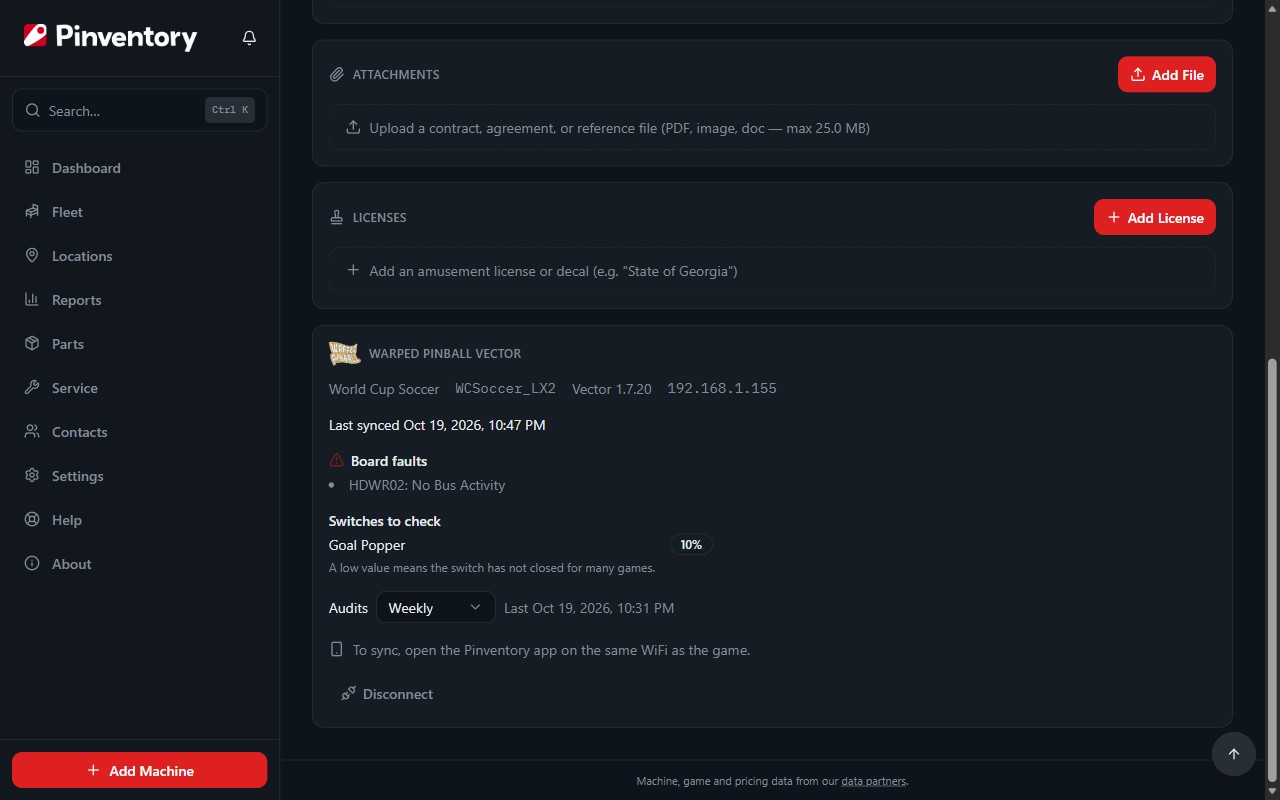
A connected machine shows a Warped Pinball Vector card on its Details tab: the game and ROM the board runs, any faults the board reports, the switches that have stopped closing, and when it last synced.
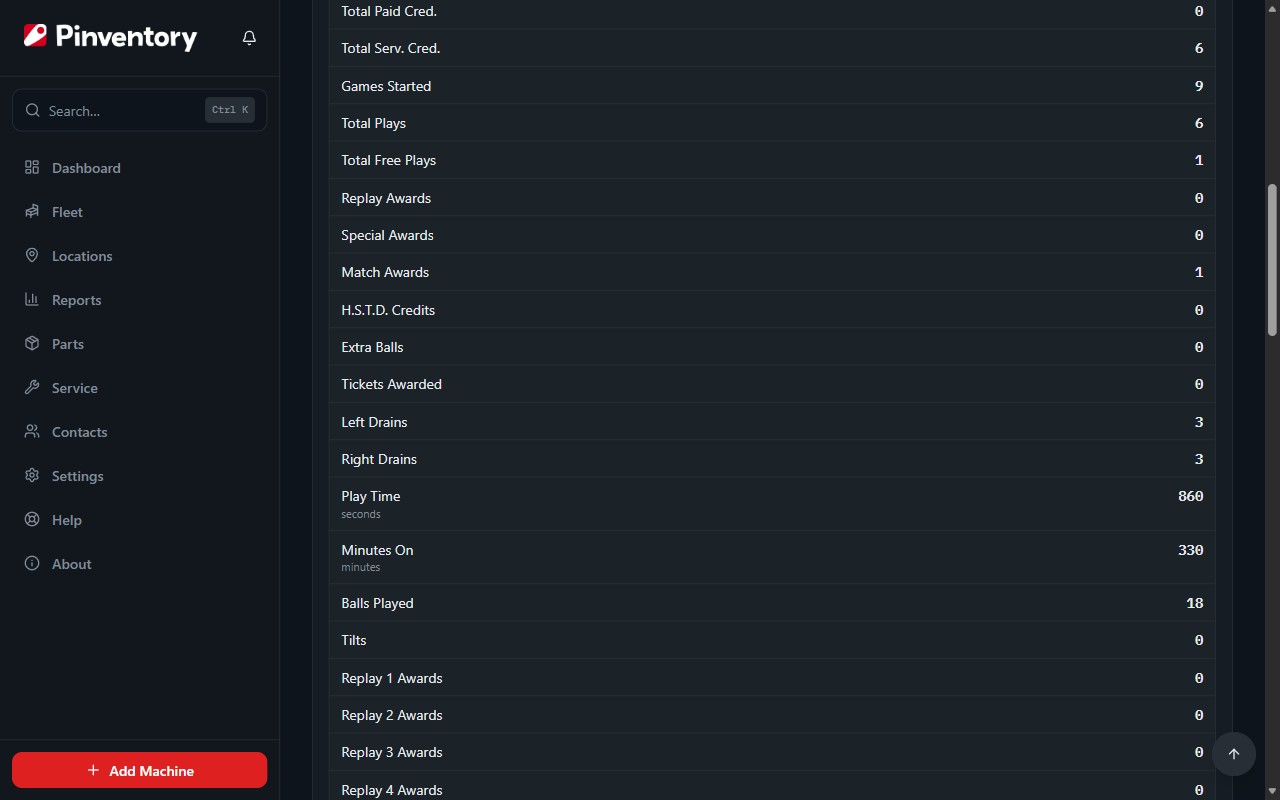
Each sync can also save the game's audits, the same numbers you would page through in the service menu, so plays, coins and drains show up on the Audits tab without writing them down.
On many WPC games a sync also reads the game's standard and feature adjustments, so the Adjustments tab shows how the game is set up today.
Warped Pinball sells Vector, not Pinventory. Get a Vector from Warped Pinball when you are ready.
Vector is part of Pro.
Check that your game works with Vector
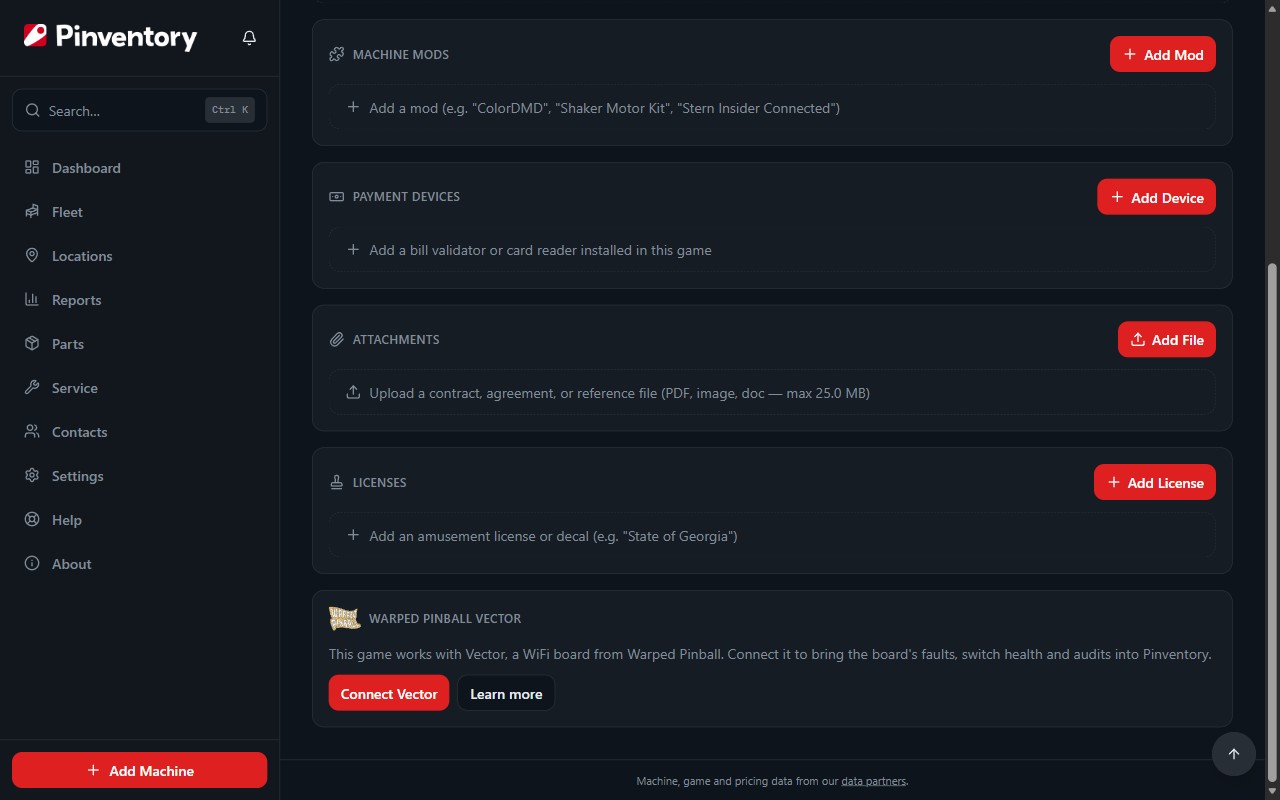
Warped Pinball publishes the games Vector supports, and Pinventory follows that list. Open the machine: a compatible game shows the Vector card with Connect Vector. No card means the game is not on the list yet.
The match goes by the catalog game. If the card is missing on a game you know Vector supports, edit the machine and pick its title from the catalog.
Connect the board from your phone
Vector only talks to devices on the WiFi the game is on, so connect from the Pinventory app on your phone, on that same WiFi. A web browser cannot reach the board.
Press Connect Vector and type the board's IP address. Find it on the Vector page in your browser, in your router's list of devices, or turn on Show IP on machine in the Vector settings so the game shows it. Give the board a fixed address in your router and it will not change on you later.
Pinventory reads the board, shows the game and ROM it found, and asks you to confirm it is the right machine. If you set a password on the board, type it when asked. Pinventory saves it in your phone's secure storage, so you type it once. It never leaves your phone. If you change the password on the Vector page later, the next sync asks for the new one.
Once the board connects, Pinventory offers to record it on the game. Vector gives the game NVRAM, so keep Mark this game as NVRAM checked to stop its battery reminders, and keep Add Warped Pinball Vector to this game's mods checked to list the board on the Machine Mods card, with its cost if you type one. Press Save, or Not now to change nothing.
Pinventory asks once, the first time a board connects to a machine. It skips the NVRAM option on a game with no battery reminders, and the mod option when the game already has a Vector mod.
Sync with Vector
Press Sync with Vector on the card whenever your phone is on the game's WiFi. One sync takes a few seconds and reads the board's faults, the audits and adjustments on WPC games, and the switch health on games where Warped Pinball supports it.
A switch low on the list has not closed for many games. That is often a dirty or broken switch, and sometimes a target nobody hits. Check it on your next visit.
The app also syncs on its own. When you open it on the game's WiFi and a board has not synced for 4 hours, it syncs that board quietly in the background, with no message. The machine's History lists an automatic sync only when it found something new: a fault, a cleared fault, the first audit reading of the period, or a changed adjustment.
Every sync needs your phone on the same WiFi as the game. Away from the game, nothing syncs.
Board faults become issues
When the board reports a fault, Pinventory opens an issue on the machine, marked Machine alert and reported by Warped Pinball Vector. One fault keeps one issue open, however many times you sync.
These are faults of the Vector board itself, for example no activity on the game's bus, which can mean the board is loose or the game's CPU is not running. When a later sync finds the fault gone, Pinventory closes the issue for you, unless someone has already picked it up.

Audits on the Audits tab
On WPC games, each sync saves the game's earnings, standard and feature audits as an audit reading, in the order the game's own menu lists them. Total Plays feeds the play count at the top of the tab, and usage reminders can count from it.
Pick Daily, Weekly or Monthly under Audits on the card. Syncing again in the same day, week or month replaces that period's reading instead of adding another, and the card shows Due when the next one is waiting.
System 11, Data East, Bally and Stern games do not get audits yet. Their faults and switches still sync.
Adjustments on the Adjustments tab
Pinventory now keeps the machine's adjustments in step with the game. Each sync reads the game's standard (A.1) and feature (A.2) adjustments and writes any that are not at factory default to the Adjustments tab, marked From Vector, with the value as the game shows it, for example Tournament Play: YES.
The game wins. If you typed a value and the game now reports a different one, the sync changes it to the game's value and keeps your name and notes for the adjustment. When an adjustment the sync added goes back to its factory default, the next sync removes it from the list. An adjustment you typed or imported from a Stern backup is never removed: the sync changes it to the default value.
If you saved adjustment profiles on the Vector page, the Adjustments tab lists them above the adjustments and marks the one that matches the game. Load a different profile on the Vector page and the next sync shows the change, and the machine's History records it.
The machine's History lists every adjustment a sync added or changed, with the old and the new value, so you can see when someone changed the game in the service menu.
Adjustments come from the same pinball-memory-maps project as the audits. Games that it has no adjustments for yet sync their faults, switches and audits as before.
To change an adjustment, change it in the game's service menu. Pinventory reads adjustments from the board and never writes them.
Good to know
- Audit and adjustment addresses come from the open pinball-memory-maps project by Tom Collins, under the Open Database License.
- Disconnect on the card stops Pinventory syncing that board. Issues, audit readings and adjustments stay, and nothing changes on the board.