


Free-play locations
Track the money at a venue where the games are set to free play.
Mark the venue as free play
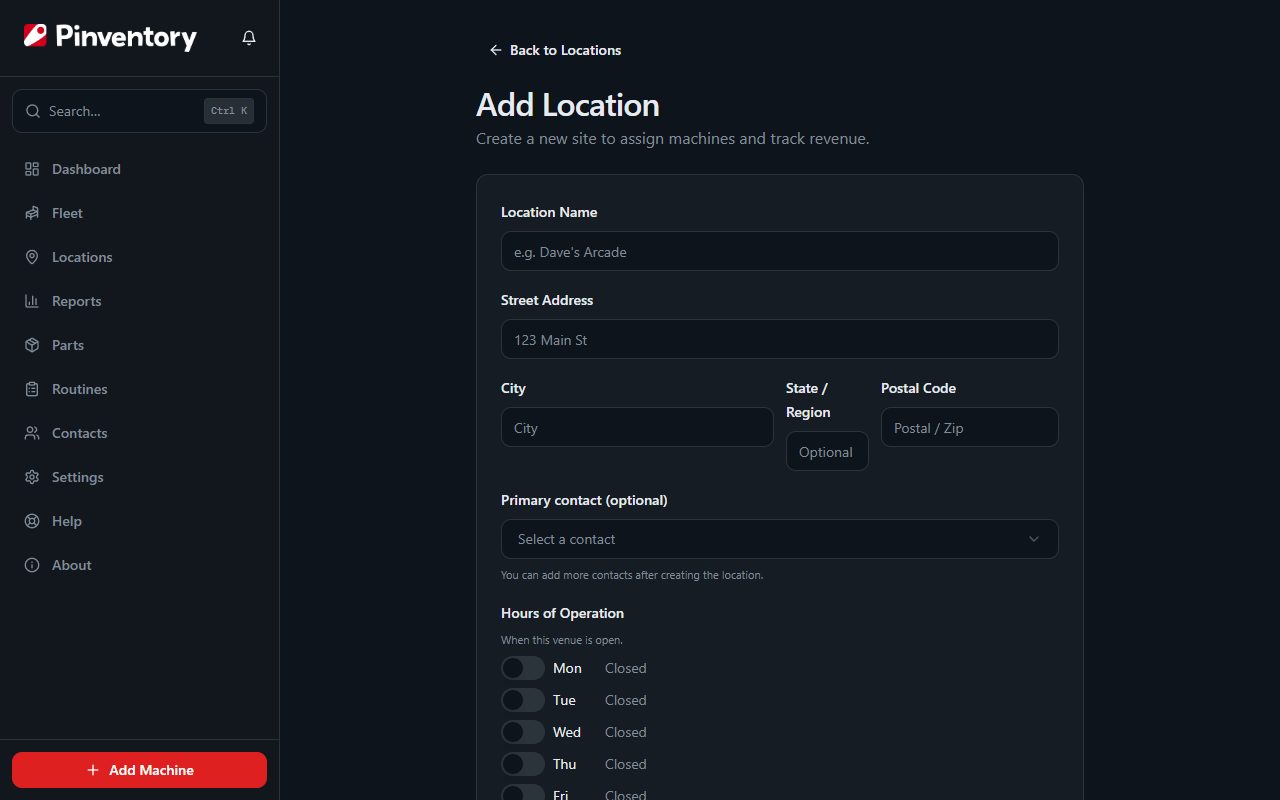
Set the revenue model when you add the location. Free Play covers any venue where the games do not take money per game, such as a door-fee arcade, a private room, or a barcade with an entry charge.
Choosing Free Play hides the split field, because there is no per-play income to divide. All of the revenue is yours.
See what changes
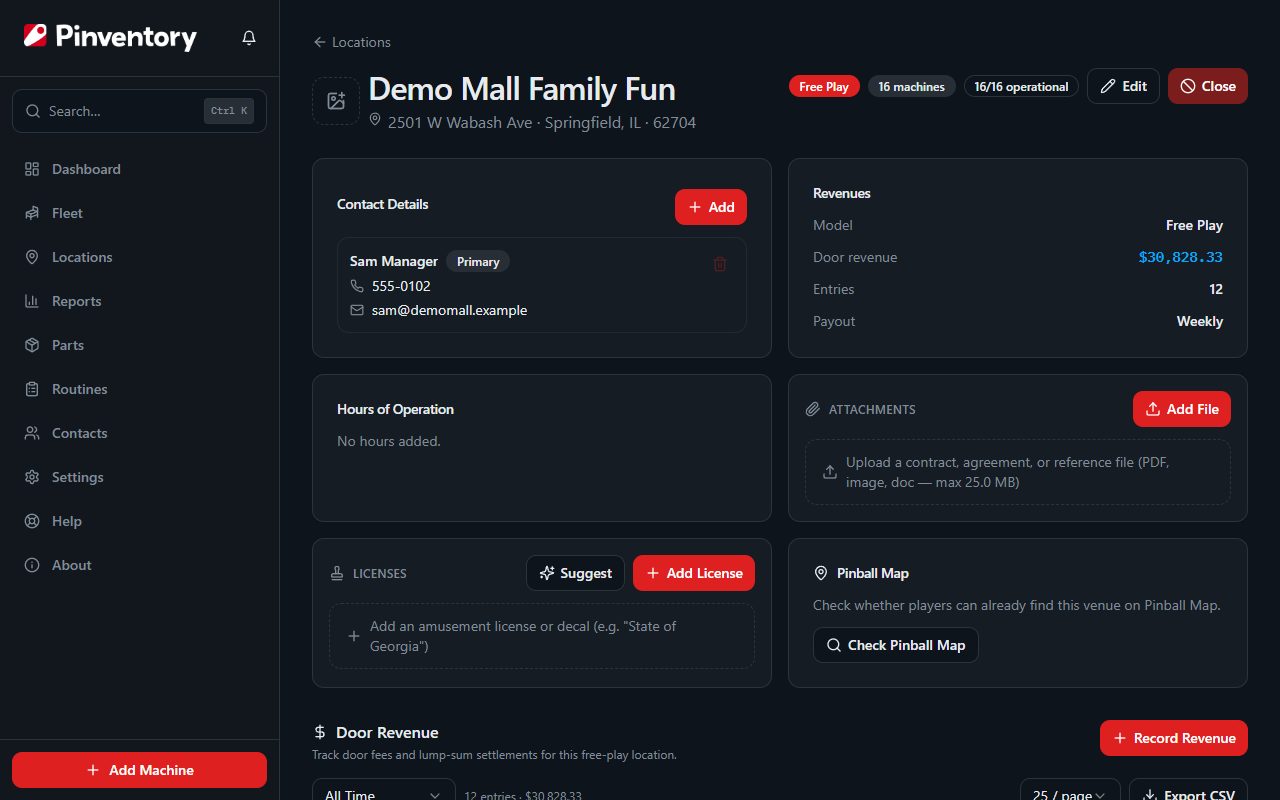
The location page carries a Free Play badge, and the Collect button is gone. In its place you get a Door Revenue section.
The summary card also changes. Instead of a split, it shows the model, the door revenue, and the number of entries.
Record door revenue
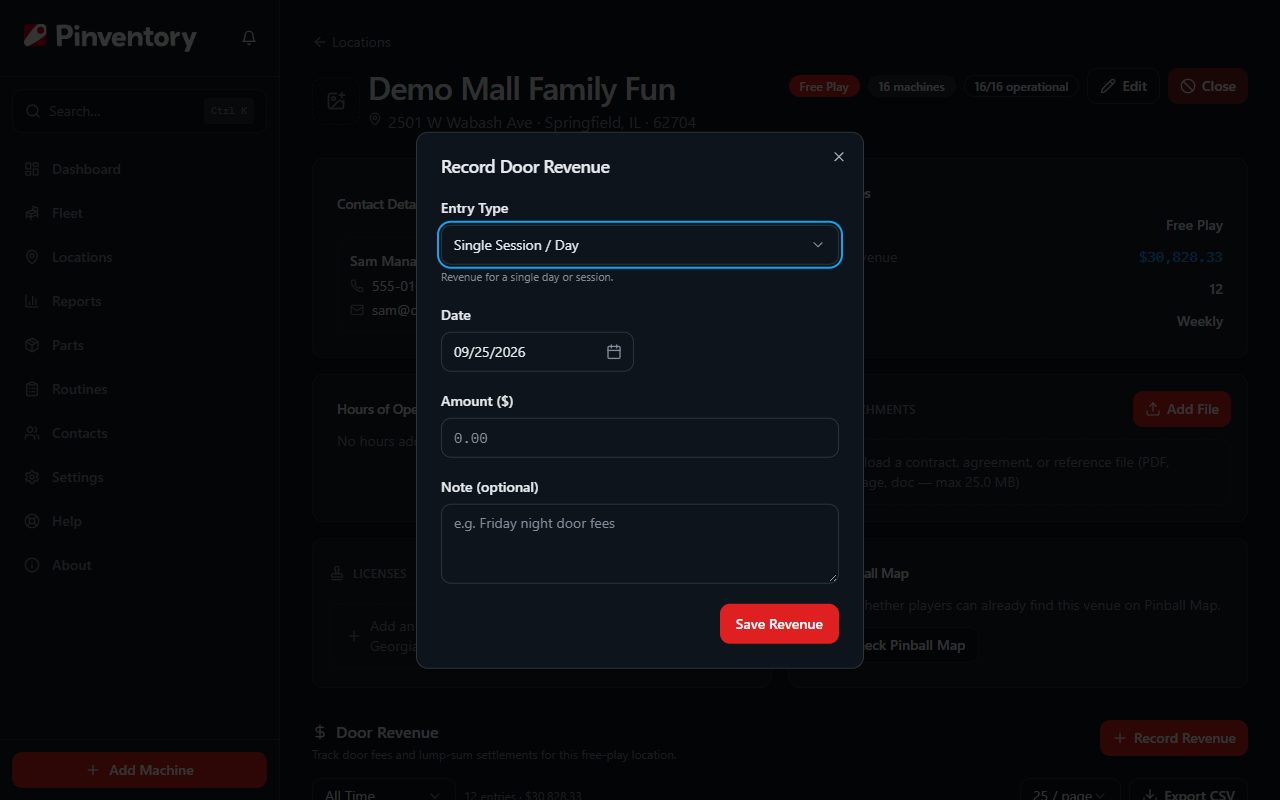
Use Record Revenue and choose how you are entering it. A lump sum covers a whole period, such as a month of door revenue. A single session covers one day or one event.
Enter the period and the amount, and add a note if the number needs an explanation later, such as a private party or a tournament night.
Revenue at a free-play venue belongs to the location, not to any one machine. That is why you enter it once for the venue rather than game by game.
Machines at a free-play venue
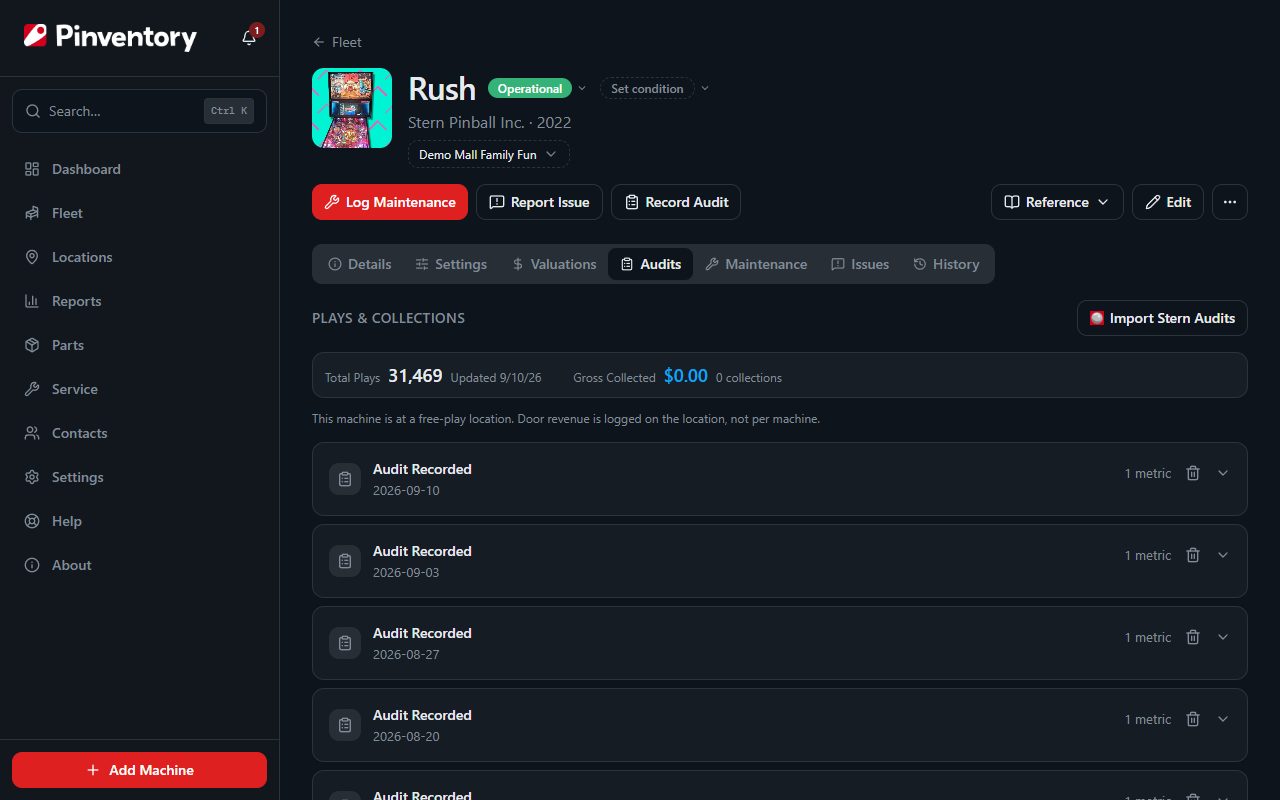
Open any game at the venue and the Plays and Collections tab tells you the same thing: revenue is logged on the location. There is no Log Collection button.
Everything else about the machine works normally. You still record audits, log maintenance, track parts, and take player reports.
Good to know
- You can run split venues and free-play venues side by side. The model is set per location.
- Audits still matter at a free-play venue. Play counts tell you which games earn their floor space when there is no per-game revenue to compare.
- The door revenue table exports to CSV if you need the figures in your accounts.