

The calendar
See the month ahead for your whole business: which locations are due a collection, which games are out on rental, which maintenance is due, and which licenses run out. Everything on it comes from records you already keep.
Open the calendar from the Dashboard
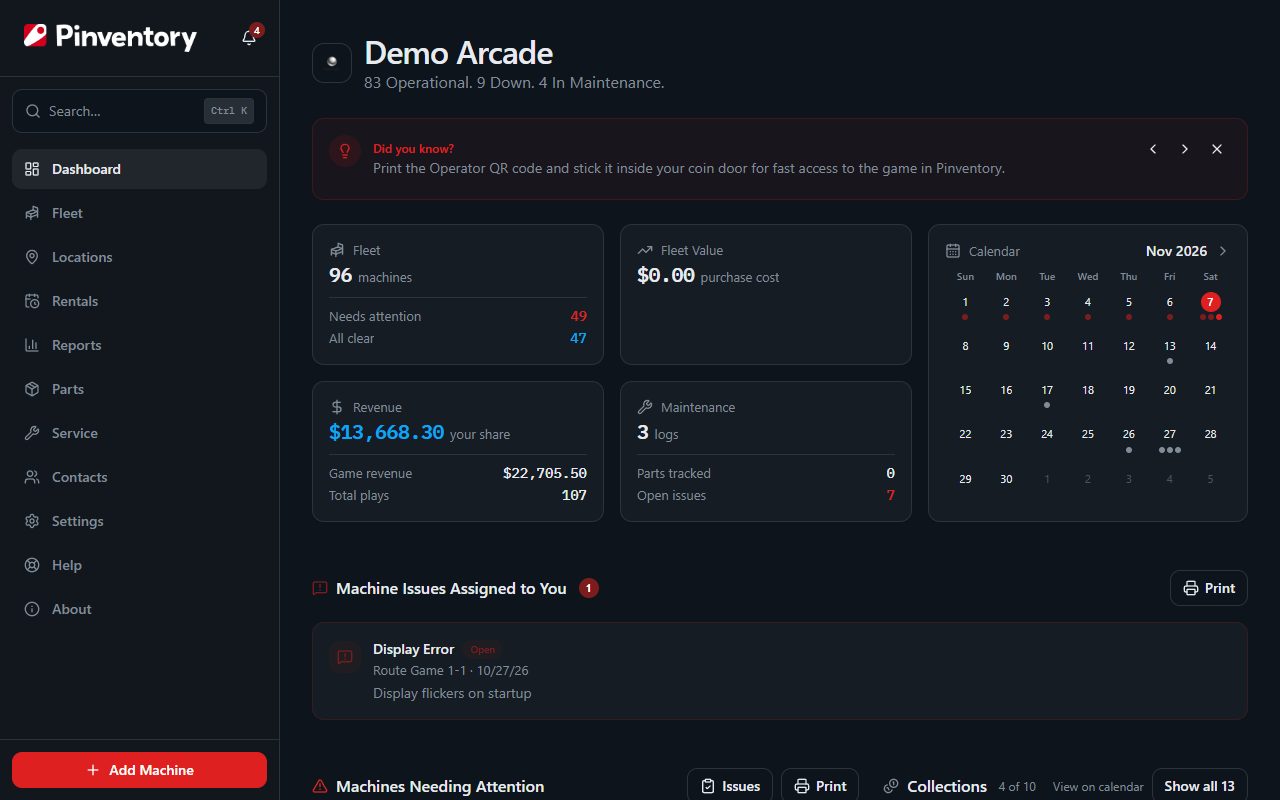
The Dashboard shows this month beside your fleet numbers. A dot under a day means something is on it. Tap a day to open the full calendar on that day, or tap the month name to open the calendar itself.
The Rentals page has the same small calendar, showing only your rentals.
Choose what to show
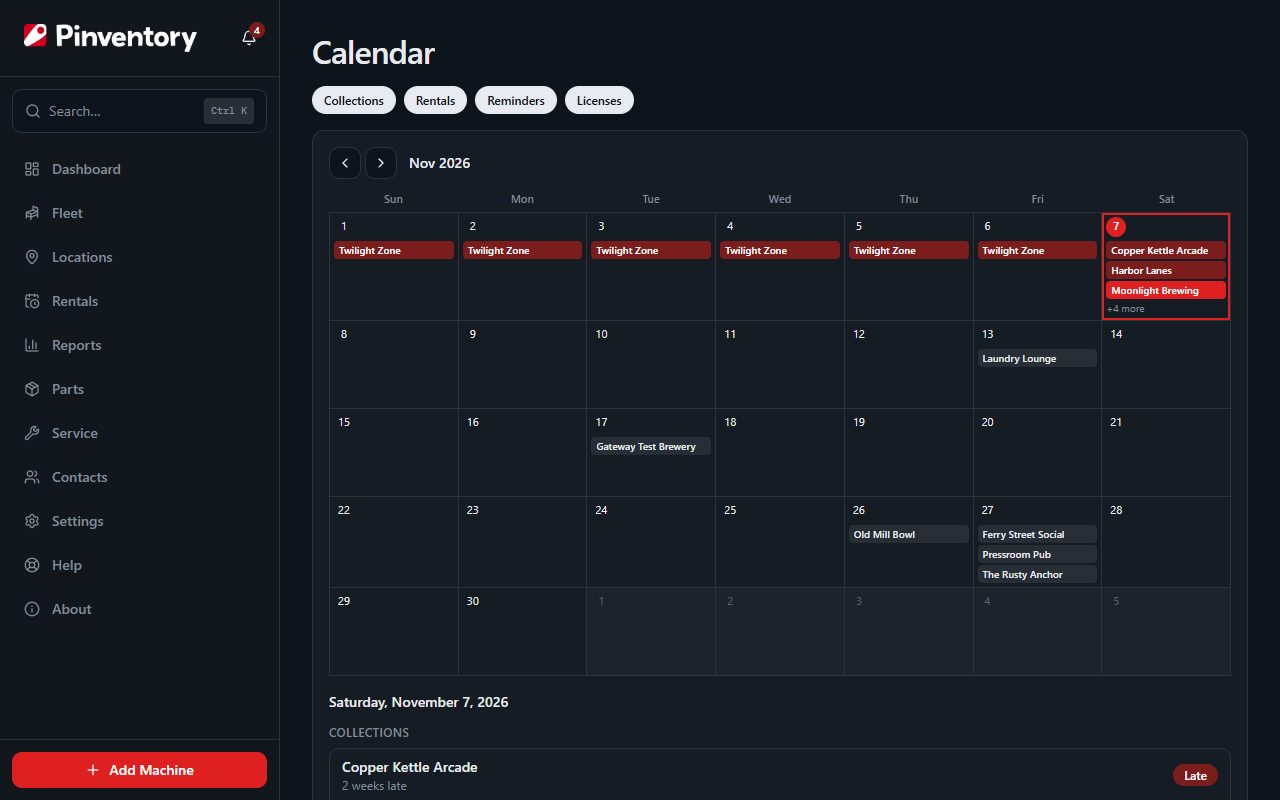
The chips above the month list what the calendar can show you: Collections, Rentals, Reminders and Licenses. Tap a chip to hide or show that kind. The link keeps your choice, so you can bookmark a calendar of collections only.
You see the same things here that you see on your Dashboard. A technician sees maintenance reminders. An owner or manager also sees collections, rentals and licenses.
Read a day
Tap a day to list everything on it under the month. Each row opens the page where you act on it: Collect for a location, the Maintenance tab for a reminder, the game for a rental, and the Licenses tab for a license.
A collection shows on the day it is next expected, worked out from how often you usually collect that location. A location that is already due or late shows on today, because today is when it needs collecting. An overdue reminder shows on today for the same reason.
A rental runs from its start date to its due date. A game still out after its due date stays on the calendar up to today, so it never looks free to rent.
Reminders set by plays, such as "rebuild the flippers after 2,500 plays", have no date, so they do not appear on the calendar. Find them on the game's Maintenance tab.
Good to know
- The Collections, Upcoming Reminders, Operator Licenses and overdue rentals cards on the Dashboard each have a View on calendar link.
- Collecting a location from the calendar brings you back to the calendar when you save.